- Author: Urooj Mehar
Date: Nov 6, 2025 - Category : Animation Studios



Animations are not limited to big Hollywood studios. They are becoming a part of life for passionate designers and indie animators. You will catch at least 1 or 2 animators around you, either sketching their characters at a random coffee shop or YouTubers generating their income from conveying their stories through animations. All the credit goes to the best animation apps for PC to turn their creativity into a reality.
Every great idea deserves some action, and these tools are making it easier to make it true. You can create 3D characters that move, paint frame-by-frame like the ultimate classics, or animate different scenarios straight from your laptop. This is all possible with the help of modern animation software.
And let’s not forget that we are already living in a time where animations have become a huge part of almost everything. Want to market your product? Create a 2D animation. Need to guide viewers on a certain topic? An explainer video to go. Want to go viral with your storytimes? Try whiteboard animations.
Now, we know the power of animations and how they are thriving in the market. So, let’s get straight into this guide where we have covered the 10 best animation apps for PC to fire up your creativity.
Many people begin their new journey from somewhere small, and this is the same thing with animations. You do not need to be a millionaire to make cool animations: that’s why free animation apps for PC exist.
A 2023 survey found that 89% of animators started their careers with free animation tools. It means that most beginners test the waters with those apps that cost them nothing. Let’s read further to check out the free best animation apps listed below so that you can easily select the one for you.
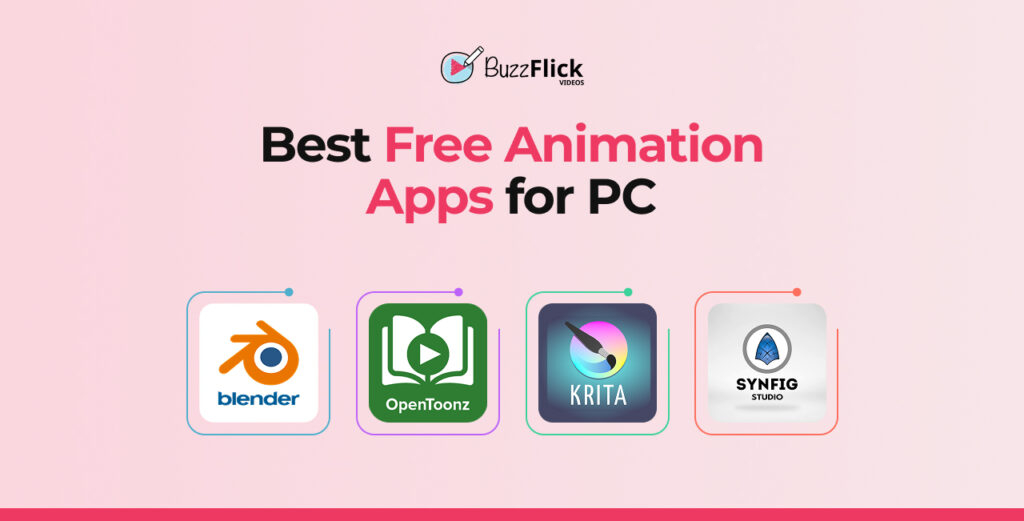
When it comes to the best free animation apps for PC, no one can deny that it’s always Blender that everyone thinks of. It is an open-source software that can literally cover everything.
It allows:
You can say that it’s a complete animation studio inside your system. And one of the coolest things about this animation app is how customizable it is. It allows you to play around with 2D animation through Grease Pencil, a hybrid tool that lets you draw in 3D space.
A complete animation studio, and that too without costing a single penny? That’s what a real deal looks like.
OpenToonz can become your next favorite animation app for PC if you aim to create hand-drawn animations, rich in colors and soft lines, just like Studio Ghibli.
It is a 2D animation software for PC that combines old-school vibes with modern creativity. And best of all, it’s completely free.
Another factor about OpenToonz is that it can handle multiple file formats like PSDs, SVGs, AIs, GIFs, etc, without going crazy and crashing right there at your face. It also has a node-based effects system, which means you can easily experiment with different things with your animations, like:
And well, yeah, it might look a little bit serious in the beginning, and by serious, we mean total business vibes, but once you get used to it, everything turns normal and fun.
Krita is best for artists who love to doodle and paint for hours. Among other free animation apps for PC, Krita gives you a complete artsy vibe so that you can experiment with fun and creativity.
Fun fact about Krita: it was actually built for creating digital art, but slowly it turned into a 2D animation software for PC. And the best part is that it still welcomes digital artists to draw concept art or animate hand-drawn loops with its smooth tools.
All of this is possible with its insane brush engine. You can adjust every single aspect of your brush, like opacity and texture, till the moment you feel like “Yes, now I can work easily.” And one more mind-blowing fact, it lets you create your own brushes.
Synfig is one of those open-source, free animation apps for PC that lets you animate like a professional without breaking your bank. It is a 2D animation software for PC that makes creating animations easy. It uses a little trick known as vector tweening, which saves you from spending your time drawing every frame by hand.
It comes with advanced bone rigging systems that let you create characters without redrawing frame-by-frame. And since it is made for beginners and professionals, it balances simplicity with power. The interface can look a little tricky, but all you need is dedication and a proper guide to understand it, and once you are done, you will realize how deep it goes.
We are presenting a quick side-by-side comparison of the best free 2D and 3D animation software for PC to briefly check out what each of them has to offer and how quickly you can get your hands on them.
| Software | Type | Best For | Learning Curve | Supported Platforms |
| Blender | 3D and 2D | All-in-one animation, modeling, and VFX | Difficult | Windows, macOS, Linux |
| OpenToonz | 2D | Traditional hand-drawn style | Moderate | Windows, macOS |
| Krita | 2D | Digital painting and hand-drawn animation | Easy | Windows, macOS, Linux |
| Synfig Studio | 2D (Vector-based) | Character animation and cutout rigs | Moderate | Windows, macOS, Linux |
Now, it’s time to take your creativity to a level above. For all professional creators, we have cherry-picked the paid animation programs for PC that will give you a complete creative edge to give your animations a polished and studio feel.
In fact, more than 72% of animation studios around the world have switched to paid animation apps recently for more updates and flexibility. So, this is the sign for you to make a change and go for the paid tools to give your animations a boost of advanced effects.
Image 2:
Autodesk Maya, hands down one of the best 3D animation apps for PC that gives a professional touch in every frame. Don’t just take it as another 3D animation app. Not at all. It’s the one used by Hollywood studios, gaming studios, and VFX artists.
Maya supports 3D modeling, rigging, animation, and different effects, all inside one software. Yeah, it can be a little hard to grasp onto and needs proper attention to handle it, but trust us, this is one of those animation programs for PC that helps you create all those cinematic pieces that you see on your screens.
This is what makes Autodesk Maya one of the best animation apps:
And of course, as we now know that Maya is one of those tools that creates cinematic hits, so it is kind of difficult for beginners.
Pricing plan: $119/month
SideFX (Houdini) is the go-to 3D animation software for PC used in films, games, VFX effects, and literally for making everything mind-blowing and real.
It runs on a node-based system, which means that every move you make with it is saved as a “node”. For example, you urgently needed to halt your work, and when you came back to resume your work, it allowed you to make changes without creating chaos in the entire project. That’s what we call creative freedom.
With Houdini, you can experiment:
It is like one of those pro-level animation programs for PC that allow you to create anything you can imagine.
Pricing plan:
You can use Cinema 4D to create motion graphics, 3D animations, and add VFX effects in your videos. It is one of the top choices among professional artists and motion designers.
What really makes it special is that it is a beginner-friendly animation software for PC that provides advanced tools. It has a clean interface, which makes it easy to access for everyone. Another big factor of Cinema 4D is that it smoothly integrates with Adobe After Effects. So, if you are into Adobe Creative Suite, this means a win-win situation for you.
Here’s what you can do with Cinema 4D:
It is mostly used by professionals to create films and ads. But that does not mean you cannot use it to your advantage. It is friendly enough for new artists exploring 3D animations without burning them out.
Pricing plan: $59.91/month
Even after a decade, Adobe Animate is still managing to rock among the animation apps of PC. Previously known as Flash Professional, yes, that’s the same which powered almost half of the cartoons in the good old days, has now become a creative software to create everything. And by everything, we mean from web animations to popular TV shows.
If you are one of those thinking of creating funky YouTube animations with doodles, then you should absolutely go for Adobe Animate. It has all the features that allow you to work in 2D and syncs perfectly with Adobe Creative Suite. And you know what? It is vector-based. That means you will get your final result in crisp animations in any size without ruining the pixels.
What does Adobe Animate allow you to do?
It is the same software that created the masterpieces like The Looney Tunes Show and The Amazing World of Gumball. So yes, you can also create such masterpieces if you decide to go with Adobe Animate.
Pricing Plan: $22.99/month
Toon Boom Harmony is one of those 2D animation apps for PC that have been used to create the biggest hits in the world, like Rick and Morty and The Simpsons.
Just like Blender, Toon Boom Harmony is also an entire production studio used to create any type of animation you want. No matter if you are into traditional frame-by-frame animation or creating rigged characters, this one has truly got your back covered. It also mixes hand-drawn animation style with cut-out and 3D integrations that give your animation nostalgic vibes with cinematic effects.
Let’s see what Toon Boom Harmony brings to the table:
There is one downside of Toon Boom Harmony that it is not as flexible for beginners as some of the other advanced software is. That’s why it is commonly used by professionals around the world.
Pricing plan: (Harmony Premium: $133/month)
Last but not least, we have got another one to add to the list of 2D animation software, Moho Pro. It allows flexibility, and the best part is that it does not bother you with a monthly subscription. All you need to do is get a subscription once, and voila! That’s it.
The thing that makes Moho the best animation app for PC is that it provides you with complete control of your art while keeping the workflow clean. With its rigging system, you also do not need to draw every single frame over and over again from scratch (unless you really want to work hard).
If you are into doodling or a dedicated animator working on introducing the next hit in the entertainment industry, Moho can become your top priority.
It is packed with Smart bone system, advanced 2D rigging tools, vector-based animations, and combines hand-drawn animation with automated motion.
And again, it does not force you to pay for it every other month. Yeah, the starting cost can feel a little too much than some of the animation programs for PC, but when you think of going with this tool for the long run, it actually becomes the most budget-friendly app as compared to others.
Pricing plan: Moho Pro 14: $399.99, Moho Debut 14: $59.99
We know it gets too overwhelming to go through each paid software and see what it has to offer and what the range of their subscription tier is. Below is a quick comparison table so that it gets easy for you to make a decision and go with the one that fits best for you.
| Software | Type | Best For | Learning Curve | Subscription |
| Autodesk Maya | 3D Animation Software | Professional studios, VFX artists, filmmakers | Difficult | $119/month |
| Houdini (SideFX) | 3D Animation and VFX Software | High-end VFX, procedural modeling, cinematic effects | Difficult | Apprentice: Free Indie: $269/year Core: $1,415 (workstation) FX: $3,369 (workstation) |
| Cinema 4D | 3D Animation and Motion Graphics Software | Motion designers, ad creators, and 3D artists | Moderate | $59.91/month |
| Adobe Animate | 2D Animation Software | YouTubers, web animators, and 2D artists | Easy to Moderate | $22.99/month |
| Toon Boom Harmony | 2D Animation Software | TV and film animators, professional studios | Difficult | $133/month |
| Moho Pro | 2D Animation Software | Indie creators and illustrators | Easy to Moderate | One-time purchase: Pro $399.99 Debut $59.99 |
Making it to the end, we have discovered the best animation apps for PC. Some of them are free and allow you to be creative with them, just like Blender, while other animation apps require a subscription to give your animations a professional look.
But here’s the kicker: getting your hands on the right application means getting halfway through the story. The real deal breaker is how you actually use it. And if you are one of those who want to skip the phase of long nights of rendering and still looking to achieve a studio-level animation, then there is a shortcut for you, and that is BuzzFlick.
We make sure to create stories that move everyone with every frame. Now, whether it’s a whiteboard animation or 3D motion graphics, our team has all the skills under its sleeve to make your story the next hit in the industry. So, if you have got the idea but need someone to creatively execute it, BuzzFlick is just a tap away.
As a beginner, you should use Blender for 3D animations as it is the most common and powerful tool, and Krita for 2D hand-drawn work. Both of these animation apps have huge libraries and features that let you have complete creative freedom.
Yes, you can use free/open-source animation apps for commercial projects. A lot of free tools like Blender and Synfig are open-source and allow commercial use. But always make sure to check the program’s license and limitations, such as watermarks.
The major difference between paid and free animation programs is that the paid options such as Autodesk Maya and Moho Pro, offer deeper production pipelines and advanced VFX effects, whereas free tools can have some limitations but can be just as capable as the paid ones.
Houdini, Autodesk Maya, and Cinema 4D are the go-to animation programs for PC for VFX and realistic simulations. Houdini is ideal for procedural VFX because of its node-based workflow; meanwhile, Maya and Cinema 4D are great for other VFX when paired with Arnold or third-party engines.
Chromebooks have grown from just for typing essays and watching skits to letting everyone test their creativity in their desired ways. Yes, those days are...
Read More
Get A Custom Quote Now


Copyright © Buzzflick 2026, All Rights Reserved.
Get Video Animation at Reasonable Prices at BuzzFlick! Get A Quote!