- Author: Urooj Mehar
Date: Oct 16, 2025 - Category : 2D Animation, Animation Studios



Have you ever noticed that video content is almost everywhere, like on landing pages, ads, social media platforms, and even on billboards, and wondered if you could make your animation video stand out and give your product the hype it deserves in just a few seconds?
If yes, then there is good news for you; the right free animation websites can make all of your imaginations come true.
But, there’s a small problem…. A lot of tools provide promising “animation maker free” options, some hide free tier limits behind paywalls, and on the other hand, some are a bit confusing to use.
Okay, this is way too overwhelming to begin with. Let’s make it easy for you from here.
We have carefully picked the 21 best free animation software and ideal use cases, so that you can easily decide which one to choose for your 2D or 3D visuals, and how to animate for free. Let’s dive in right now!
Why does free animation software matter when we can just use written descriptions? Be for real now! It’s 2025, and people would rather scroll, stop, and watch 10 seconds of an animated ad than focus on reading a 100-word text.
Animated content catches attention within a span of milliseconds. Just have a look at brands on Instagram or other e-commerce shops and see how they are using quick 2D or 3D animations to make their product pop by explaining features and narrating a short story.
This is the reason why marketers and businesses are turning to free animation software to create content that halts the viewer’s thumb from scrolling down.
And let’s not forget about landing pages and how they are benefiting from short animations. A simpler explainer video can make complicated ideas click instantly, turning visitors into potential buyers.
So, if you are sleeping on animation, then don’t be surprised when you miss a huge opportunity, since we have also got the numbers to back whatever we have said above. A study says that video content is expected to make up 82% of all global traffic by 2025.
We hope that now it all makes sense why free animation software matters when we can just use a written description.
Alright, we are sure that you have made up your mind, animation is the way forward. Now, let’s talk about the tools since they are the only thing standing between you and your first animation.
To make it easy, we have picked out the 21 best free animation software covering 2D animation, 3D, and everything in between, so that you don’t waste your time searching for what fits best for you.
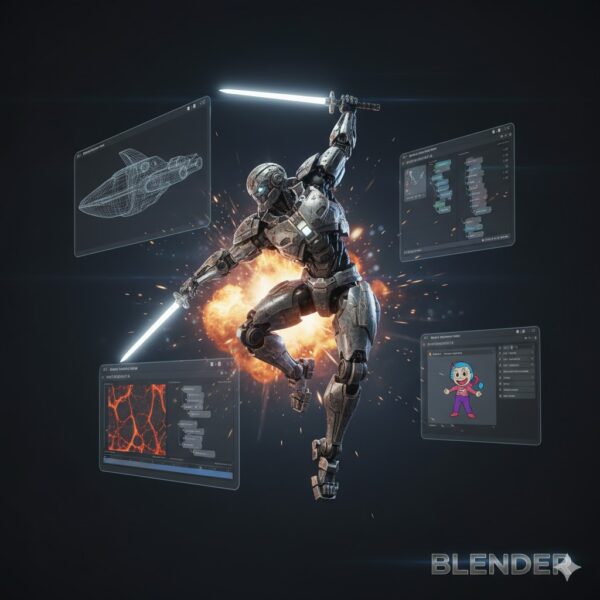
Blender is hands-down one of the most famous names when it comes to free animation software. It’s an open-source 3D suite that pretty much covers everything for you. Name it and watch it get done.
Features
Pros
Cons
Krita is a free, open-source art and 2D animation software built for artists who love detail. It’s great for frame-by-frame animation and offers several brushes, all wrapped in a clean interface. Krita gives you flexibility in a free environment to sketch or animate simple scenes.

Features
Pros
Cons
Pencil2D is a dream for every minimalist animator. It is super lightweight and focused on hand-drawn 2D animation. It lets you sketch and animate easily, ideal if you only want to create walk cycles of a character, hand-drawn clips, or just test ideas without fighting any tool.
Features
Pros
Cons
OpenToonz is one of the best free animation software and has been used by big animation studios like Studio Ghibli. It supports both vector and raster workflows, so if you want depth, go with this one.
Features
Pros
Cons
Synfig Studio is a vector-based free animation software that creates smooth animations with less manual frame drawing. Good if you want puppet-style rigs or more of a motion-graphics vibe rather than drawing every single frame.
Features
Pros
Cons
If you are a beginner and looking for a mobile-first 2D frame-by-frame animation software, then you should go for FlipaClip. It lets you sketch, draw, import audio and video, and export animated clips in video formats or GIF. It gives you a free hand for your creativity and does not confuse you with complex studio-like features.
Features
Pros
Cons
Amimaker is a free animation software website for basic use that provides tons of templates, builders, and drag-and-drop ease. It is ideal for animators looking for good results without needing heavy and complex software.
Features
Pros
Cons
Powtoon is a browser-based animation/explainer-video tool made for marketers, educators, and business users. It provides different templates that make creating presentations, explainer videos, and SaaS videos easy.
Features
Pros
Cons
Doratoon is a new free animation website with templates and AI-assisted tools, made for those who want to create animated stories or marketing videos in just a few moments.
Features
Pros
Cons
Moho (previously known as Anime Studio) is more on the semi-professional side for 2D animation; great if you want more control over rigging, bone systems, and more accurate character animation.
Features
Pros
Cons
Biteable is a web-based, free animation software that allows you to create animations fast by using templates, stock clips, and simple editing. It is great if you need something quick without the 3D complexity.
Features
Pros
Cons
If you need professional animations for marketing or training videos, you should really try using Vyond. The free version lets you access too many features, so you can test out what style looks best for your videos.
Features
Pros
Cons
Maya, from Autodesk, can be considered the standard in creating modeling and VFX. And do not think of it as just another free animation software; many professional studios use it for adding special effects and 3D animation.
Features
Pros
Cons
Procreate is a sketching and illustration app for iPad users that also supports frame-by-frame 2D animation. It’s made for artists who love to animate their hand-drawn artwork.
Features
Pros
Cons
Movavi is more known as a video editor than a free animation software; however, you can add animated text and overlays using its basic animation features.
Features
Pros
Cons
When you come across interactive web banners or animated ads, then know that there are high chances of them being created with Adobe Animate. This professional tool comes with multiple options for making vector-based animations and interactive content. And the best part? This animation maker lets you test it with a free trial before moving forward with paid plans.
Features
Pros
Cons
Appy Pie is a browser-based free animation software with a special focus on speed and simplicity. It’s perfect if you need quick explainer videos or social media clips without diving into complicated software.
Features
Pros
Cons
Vectr is more of an editor for vector graphics with light animation features than a full suite for animated videos. But still, it can be considered a good pick among different free animation websites if you are into logo animation or lightweight animated graphics.
Features
Pros
Cons
Canva always shows up whenever anyone talks about easy design, and yes, it doubles as an animation software with free options as well. It just needs a click, and you can create photos or entire layouts, making it a perfect match for social media posts, ads, or presentations.
Features
Pros
Cons
Animation Paper is a gem for people who love hand-drawn and traditional styles. It is created especially for frame-by-frame sketching and timing, letting you experience that old-school desk style but in a digital way.
Features
Pros
Cons
It’s the best free animation software (trial/educational version) for anyone who wants to experience what TV and film studios actually use.
Features
Pros
Cons
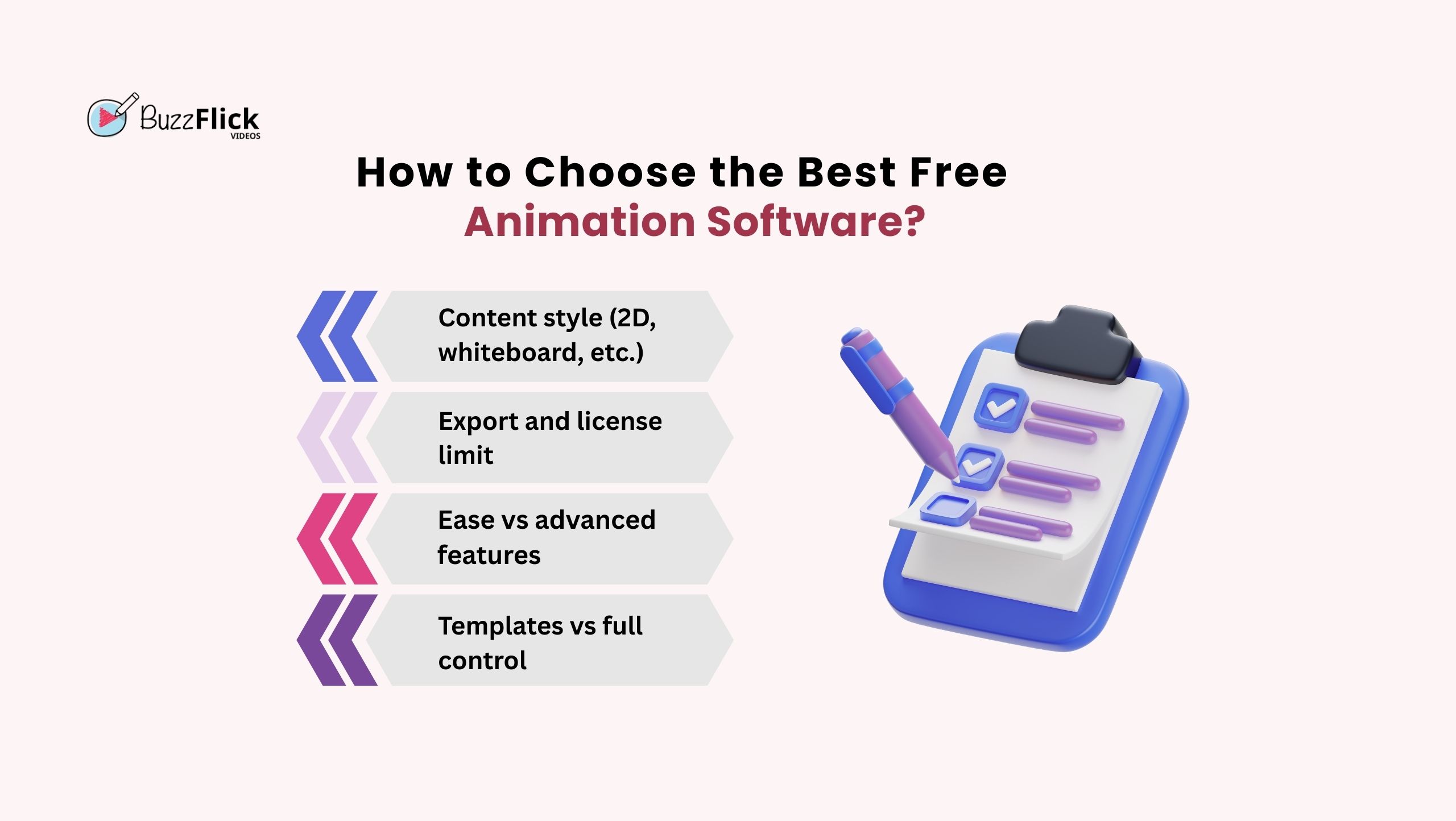
It’s okay to think that “best free animation software” is just hype, and they don’t do much. But, wait, we are here to tell you how to make sure that you pick the one that really works the best.
According to Forbes, a good animated video on a landing page can boost the chances of conversion by up to 86%.
That’s how powerful the right tool can be when you pick the best animation software. Let us tell you how:
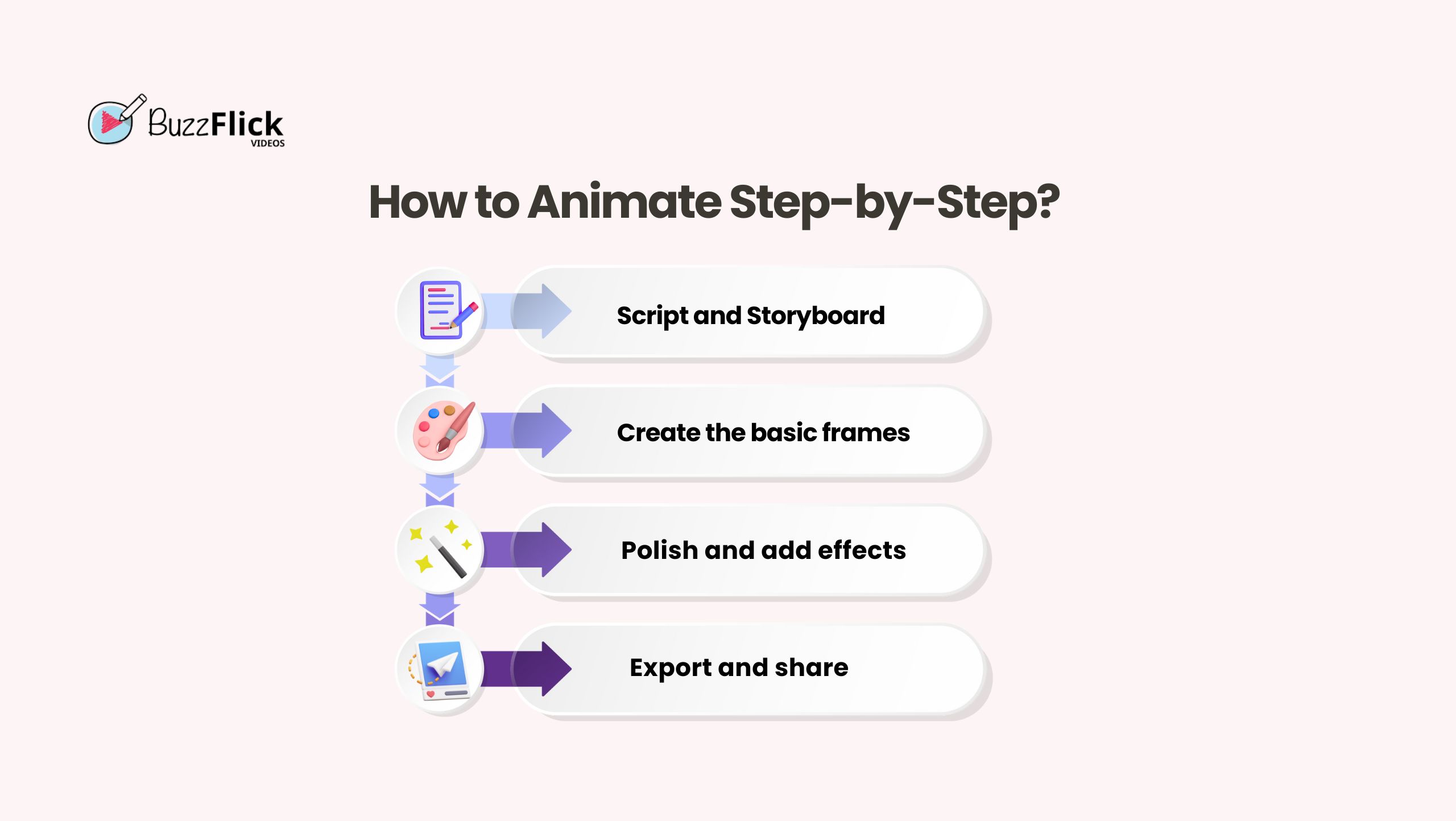
So, by now, you must have picked your tool, but you are still wondering, “Where do I even start?” To be honest, the process of learning how to animate for free is easier than you think.
And let us tell you a secret, real quick: even huge animation studios in New York begin their big projects with these simple steps that we are going to tell you below, so stop worrying about a single thing, and let’s get it!
The main block of every great animation you encounter begins with a good story. Write a short and clear script and sketch out a rough storyboard. This way, you can avoid getting overwhelmed when you start creating animation.
You have completed your planning, now it’s time to move forward to choose the tool that fits well with your content style and start working with it. For example, if your goal is to create something in 3D, then Blender is the best option, or if you are aiming to create something simple and 2D, you can try Pencil 2D.
After creating a rough skeleton, start adding sound effects, voice-overs, and background music. Next, when the sound is added, polish the frame with color adjustments, shadows, or even any motion effects.
This is the part where your work is ready to step out and steal the spotlight. Export your masterpiece in a format that fits where you’ll use it. Double-check to make sure the resolution looks good, and pay close attention to whether the free plan adds any watermark or restricts export count.
Once you have a clean output, share it confidently on your social media, use it in ads, or add it to landing pages to increase your engagement.
Sure, you have got your hands on the best free animation software and even know how to animate for free, but still thinking about whether you really have to figure everything out solo? Wait, relax now! Take a deep breath, because BuzzFlick has got you all covered.
We take the stress out of animation and fill it with fun and colors to make your videos and conversions pop.
Our animators are always ready to welcome you with your new idea, whether it is a product explainer or a full-blown 3D masterpiece.
In simple words, you don’t need to struggle with tricky effects or rendering; just sit back and watch our magic that makes your brand grab attention like never before. It’s time to go from “meh” to “WOW!” with BuzzFlick. So, what are you waiting for?
The best free animation software for 2D animation is Krita and Pencil2D, ideal for hand-drawn frame-by-frame animation with simple interfaces for new artists. OpenToonz and Synfig Studios are also the best picks among professionals working with vector and puppet-style animation.
Blender is one of the best go-to free software for 3D animation and modeling. It provides a complete 3D pipeline: modeling, texturing, physics simulations, and rendering.
FlipaCip, Canva, and Pencil2D are the best free animation software for beginners. They allow you to create simple animations instantly without complex features and easy export options.
The total estimated time to create an animation video depends on complexity, length, and tools. A simple 30 – 60 second explainer video with simple 2D elements can take a few hours to a few days, while professional animations can even take weeks or months.
Absolutely yes. Animated videos grab attention faster than text and images. Animations on landing pages and social media ads can increase conversions, clicks, and dwell time.
Chromebooks have grown from just for typing essays and watching skits to letting everyone test their creativity in their desired ways. Yes, those days are...
Read More
Get A Custom Quote Now


Copyright © Buzzflick 2026, All Rights Reserved.
Get Video Animation at Reasonable Prices at BuzzFlick! Get A Quote!