- Author: Hafsa Rasool
Date: Sep 17, 2025 - Category : 2D Animation, Animation Studios



Have you ever attempted to tell someone about your product or idea and watched as they glazed over? Yeah… not a good time. That’s precisely why explainer videos are here to save the day.
So, what is an explainer video actually? They’re concise, memorable, and creative videos that break down the most confusing of concepts and explain them in a manner that even your grandma would understand.
Explainer videos are the business owner’s magic spell that ensures they don’t put their customers to sleep with paragraphs of techno jargon. They allow you to convey more with less.
Put it this way: would you rather see five pages of text or view a quick video that’ll make you chuckle and impart something valuable? Well, we all know what everybody’s gonna choose!
If you’re ready to find out what explainer videos are, what makes a good explainer video, and how you can produce one without losing your mind, keep reading. By the end of this guide, you’ll not only know the explainer video definition but also be able to make one that works.
The formal explainer video definition would go a bit like this: it’s a brief, entertaining video that describes a product, service, or idea in the most straightforward way possible. But let’s drop the formal dictionary speak. Explainer videos are like a funny friend that helps you understand things easily.
They are usually 60-120 seconds long and are highly visual. They use narrative techniques to interest viewers. Rather than leaving viewers with queries, they respond and drive them to the next action, which may be signing up, arranging a demo, or purchasing.
You may be thinking: “Alright, okay. But why should I memorize the definition?” Here’s why. You need to know what an explainer video is and how it works in order to form your marketing strategy.
If you understand what constitutes a real explainer video, you will not spend time crafting bland promotional material. Rather, you will concentrate on clarity, narration, and interaction, all the ingredients that companies require to differentiate themselves in today’s busy marketplace.
Below are the reasons why explainer videos are so famous nowadays:
Ten years ago, the websites used to be loaded with long paragraphs, static images, and infographics. But people’s consumption of content has evolved. In a world where the trends of TikTok are only for 24 hours, explainer videos provide companies with an opportunity to attract attention quickly.
Marketers know very well that people would rather watch a 90-second video than read a long text. Explainer films became commonplace as a result of their appearance on Instagram feeds, business websites, and startup pitch decks. They are the ideal fusion of amusement and knowledge.
Let’s face it, attention spans are decreasing. No one wishes to browse through convoluted guides when a video can do the dirty work. Customers love explainer videos simply because they make life easier.
They are given an interesting, clear explanation in place of battling with ambiguous product descriptions. People won’t only watch if you include comedy, ridiculous visuals, or a relevant narrative; they’ll spread the word.
Here is what makes a great explainer video:
If visuals are the flesh of an explainer video, then the script is the soul. An excellent script establishes the problem, presents your solution, and outlines why your product is the hero. But it does so in straightforward, uncomplicated terms.
You do not want to sound like a college textbook. You want to sound like a pleasant friend who happens to know exactly what your customer needs. When writing a script, more care is given to less for clarity, relatability, and flow.
People are visual beings. If your images are uninteresting, folks will click off, regardless of how well your screenplay is written. This is why design is one of the main elements in creating a superb explainer video.
As long as they reinforce your point, live-action video, infographics, and animations are all acceptable. Your images should support your content, not take it. Make it easy to remember, straightforward, and uncomplicated.
Motivating users to take action is more crucial than making a compelling story. In case your video doesn’t include a compelling call-to-action (CTA), it’s just entertainment.
Your call to action must be creative and direct, regardless of what you hope to accomplish. “Okay, what now?” is what the audience should be thinking.
Whatever you want to get people to doyour CTA has to be clear and in-your-face. The viewer ought to be thinking: “Okay, what now?”
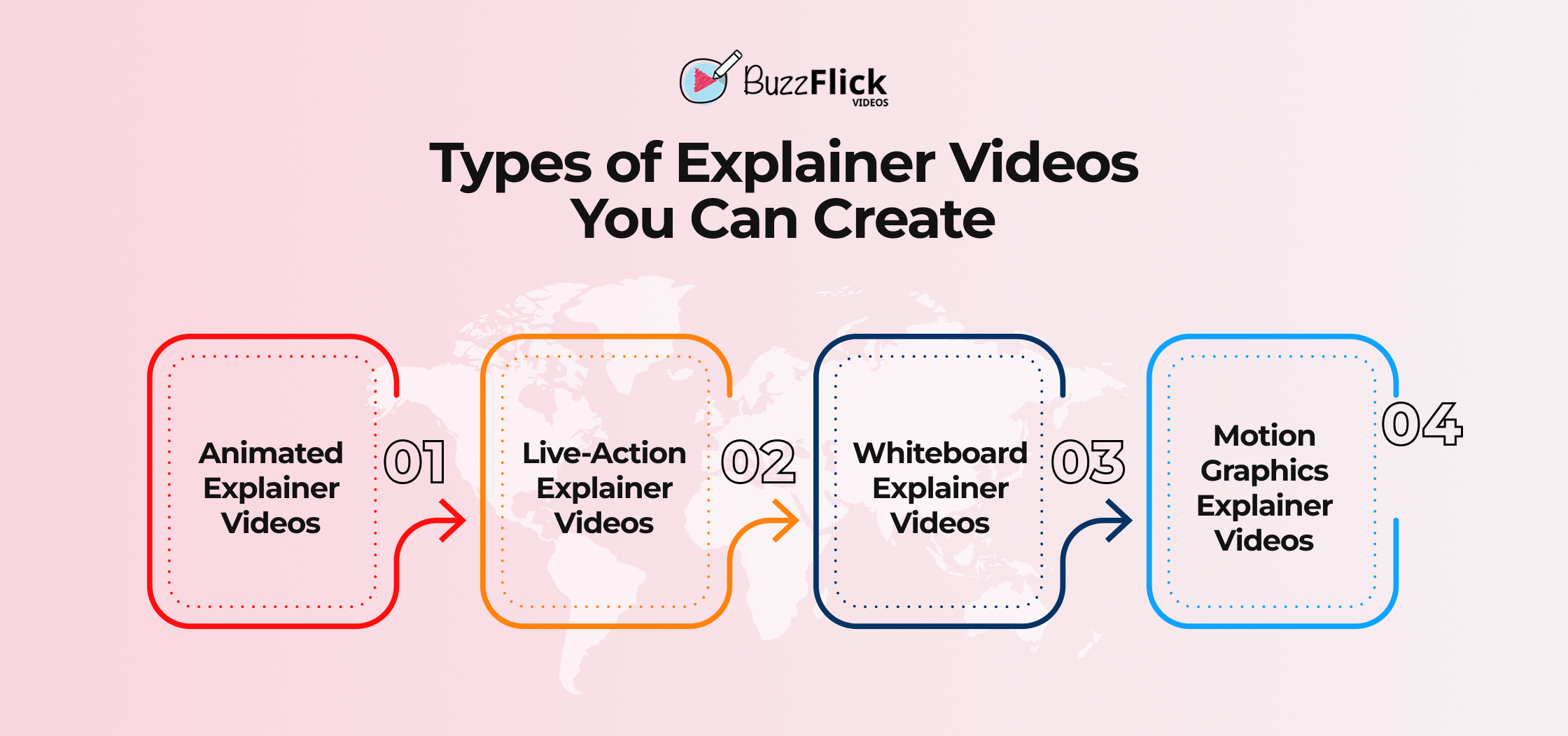
These are the most widely used types. Animation gives you the creative liberty you can use to describe complicated technology principles using zesty characters, humorous motion graphics, or even metaphors.
Animation is also inexpensive in contrast to live-action shoots. And, it’s applicable universally from medicine to SaaS videos. If you want enjoyable, versatile, and universal animated explainer video company are your best option.
Sometimes, seeing real humans builds stronger trust. In live-action explainer films, viewers are guided through your product by actors or even members of your staff.
They are ideal for services like coaching, advising, and hospitality that depend on interpersonal relationships. However, bear in mind that you’ll need a competent set, lighting, and editing crew, and that production expenses may be greater.
Remember drawing in class? Whiteboard animation videos emulate that by presenting hand-drawn visuals while the narration flows. They’re basic but surprisingly efficient at delivering educational material.
They are budget-friendly and have a classic feel. Though not flashy, they’re great for dissecting complex processes or instructional material.
Motion graphics videos combine animation and hip typography, and visuals. They’re new, business-like, and perfect for corporate presentations or B2B companies.
They let you present data, charts, and intangible ideas in visual terms. They are the smart, fashionable, and clean adult relatives of animated explainers.
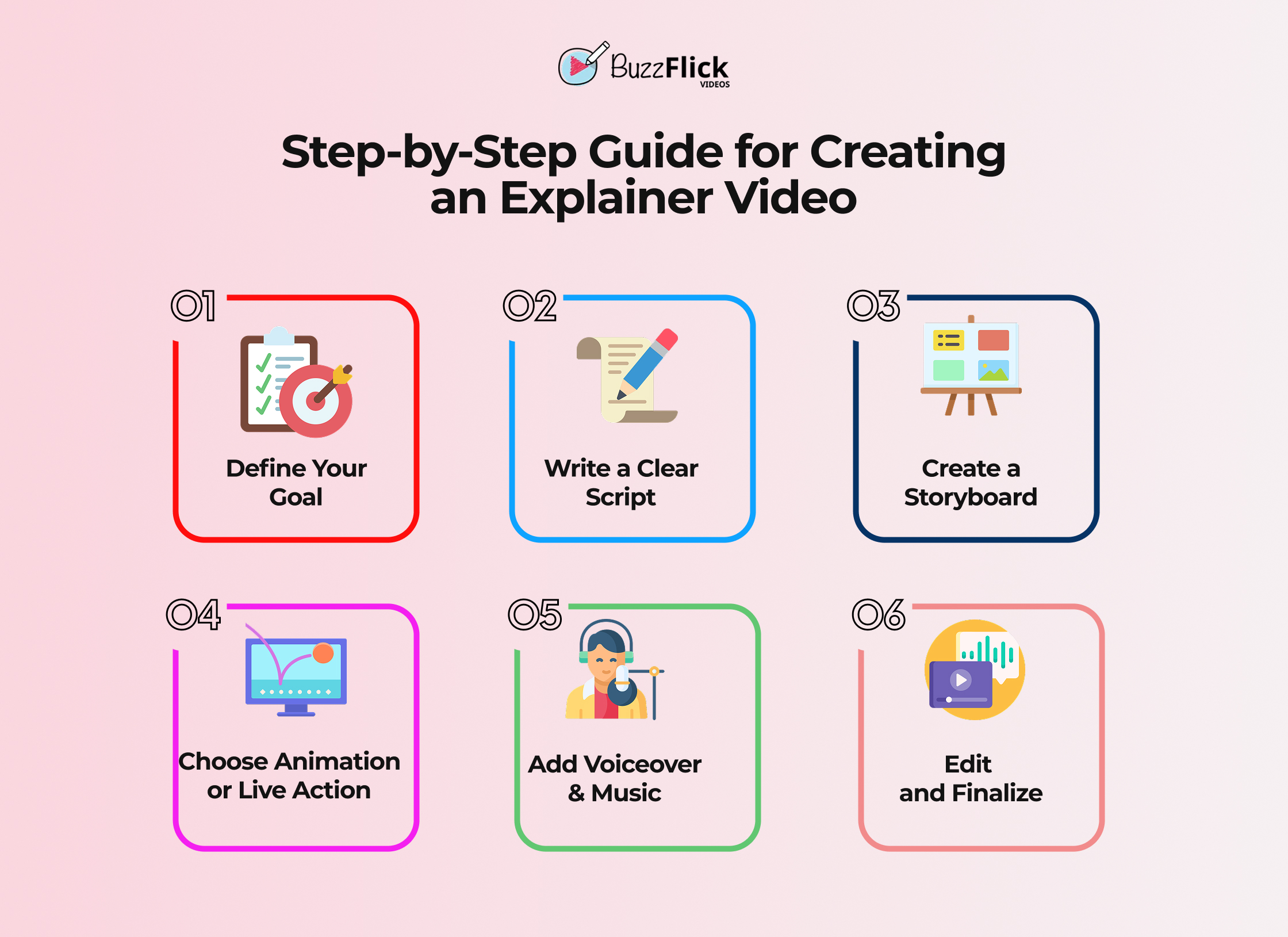
Your first question before grabbing a camera or animation software should be, “What do I want this video to accomplish?” Do you wish to explain something complicated, increase awareness, or encourage sign-ups?
Getting clear on your goal prevents you from creating a generic video. You’ll create something targeted that addresses your specific audience.
Your script is the basis. Keep it short, under 200 words, for a 90-second video. Begin with the issue, emphasize your solution, and conclude with a CTA.
Pro tip: record your script aloud. If it sounds mechanical or jumbled, reword it until it’s conversational.
A storyboard is a comic strip version of your video. It plots out every scene, so that your visuals are in sync with the script.
This process saves time in the production process as everyone understands what goes where.
Select a style that suits your business. Animated videos are versatile and entertaining, and live-action brings a human touch.
Don’t pick because it’s popular; choose the form that speaks to your audience.
Voiceover provides your video personality. Choose a tone that best suits your brand: professional, friendly, or quirky.
Background music provides emotion and energy. Just ensure it doesn’t overwhelm the narration.
This is where it all comes together: visuals, voiceovers, and music. Seamless transitions and pacing are essential.
A highly visible video looks professional and maintains audience interest till the end.
The following are some of the main benefits of explainer videos:
Research indicates that when a person learns what is an explainer video is and clicks on the landing pages can boost conversions up to 80%. Why? Because individuals comprehend your product quickly.
Rather than reading through a lot of paragraphs, they receive a brief, interactive explanation that makes them more comfortable with purchasing.
Explainer videos engage individuals longer, enhancing engagement. And due to visual storytelling, they also enhance recall.
Your viewers won’t only watch, they’ll even remember your words.
Explainer videos are designed to be shared. On LinkedIn, Instagram, or TikTok, short videos are more likely to be shared than blogs or PDFs.
Which means your brand gets more eyeballs without additional effort.
No one likes watching a five-minute explainer. Keep it brief and concise, preferably under two minutes.
A longer video risks losing attention and diluting your message.
If your video feels like a data dump, people will tune out. Focus on the essentials: problem, solution, benefits, CTA.
Less information means more clarity and impact.
You’d be surprised how many videos forget this. Without a CTA, viewers won’t know what to do next.
Always end with a clear action step that aligns with your goal.
When Dropbox originally started, few people grasped cloud storage. Their cute animated explainer brought it into the limelight.
It broke it down in less than two minutes and catapulted Dropbox from 5,000 to 75,000 subscribers overnight.
Dollar Shave Club’s live-action explainer became a viral hit because it was funny and uncompromising.
It not only described razors, it described how their business model was disruptive. And it succeeded; the company was subsequently acquired by Unilever for $1 billion.
The human attention span nowadays is approximately 8 seconds. There is so much competing content on the internet that individuals make almost immediate decisions about whether they will continue watching or not.
For this reason, most explainer videos last 90 seconds: lengthy enough to convey the message, brief enough to maintain focus.
More than two minutes, and drop-off levels increase dramatically. Too brief, and you will not be able to elaborate sufficiently. The secret is finding a balance between clearness and conciseness so the video is satisfying without being boring.
Fast tips:
For most companies, the optimal time is 60–120 seconds. Within these bounds, you can identify the issue, present the solution, and emphasize benefits without drowning your viewers. Short videos are good for social teasers, while videos a little longer are appropriate for jumping into product specifics.
The golden rule: Each second has to earn its keep. If a scene doesn’t tell the story or lead to the call to action, cut it. People won’t mind a two-minute video if it’s compelling, but they’ll lose interest in a dull one halfway through.
Guidelines for selecting length:
The cost of explainer videos varies based on animation style, length, complexity, and whether you go the freelancer or agency route.
| Factor | Low-End Cost Range | High-End Cost Range | Notes |
| Animation Style | $300 – $800 (basic whiteboard or template-based) | $5,000 – $15,000+ (custom 2D/3D animation) | More complex animation = higher cost. Whiteboard is the cheapest, and 3D is premium. |
| Video Length | $500 – $1,000 (30–60 sec) | $8,000 – $20,000 (2–3 min) | Shorter videos are cheaper. Most explainer videos work best under 2 minutes. |
| Complexity of Concept | $400 – $1,500 (simple topics) | $6,000 – $12,000+ (technical/industry-specific) | Technical content needs more research, scripting, and visuals. |
| Production Team | $200 – $800 (freelancer or DIY tools) | $7,000 – $20,000+ (agency full service) | Agencies provide scriptwriting, storyboarding, animation, and post-production. |
| Voiceover & Music | $50 – $300 (basic stock voice & royalty-free music) | $500 – $2,000+ (pro VO + custom sound design) | Professional sound adds polish and credibility. |
Consider your explainer video script as a recipe; you require the correct ingredients, in the correct order, for it to be effective. The recipe is quite simple when learning what is an explainer video:
Here’s the golden rule: your script for an explainer video needs to sound like a friendly conversation, not a corporate speech. Like “coffee shop conversation,” not “boardroom lecture.” Write it in everyday speech, contractions, and examples that your viewers can understand. If you wouldn’t say a sentence out loud to someone, don’t include it in your script.
Now, at this point, you’re most likely thinking: “Okay, I understand what an explainer video and how to create it. But do I actually want to do all of this by myself?” Most likely not. That’s where BuzzFlick steps in.
We produce explainer videos that work. From animation to live-action, we create narratives that engage the user and drive conversions without putting people to sleep.
Our team does all the scriptwriting, storyboarding, animation, and editing for you so you don’t have to worry about timelines or technicalities. Moreover, you provide your vision, and we convert it into the popcorn-worthy video that conveys it to the world.
We can say that BuzzFlick is your go-to platform if you’re tired of lengthy text and need a video that says everything in 90 seconds flat.
The ultimate objective of an explainer video is to make difficult information easier to understand and present it in a manner that’s concise and interesting. It assists companies in presenting the worth of their product or service quickly, and most times, encourages the audience to act upon it. In other words, it explains, connects, and converts.
ChatGPT alone can’t create complete videos, but it can assist with scriptwriting, storyboarding concepts, and voiceover scripts for explainer videos. You can then use platforms such as Animaker, Vyond, or Synthesia to make the script come alive with visuals and animation. Therefore, consider ChatGPT your creative scripting partner, not the video producer.
The price of an explainer video depends on style, duration, and complexity. A whiteboard animation is a few hundred dollars, while a full customized animated video can vary between $2,000 $10,000 or more. AI tools are cheaper, but professional studios produce higher quality and brand sheen that helps you learn what is an explainer video is with performance coordination.

Chromebooks have grown from just for typing essays and watching skits to letting everyone test their creativity in their desired ways. Yes, those days are...
Read More
Get A Custom Quote Now


Copyright © Buzzflick 2026, All Rights Reserved.
Get Video Animation at Reasonable Prices at BuzzFlick! Get A Quote!