


![Top 10 Stop Motion Animation Apps for iOS and Android [2025 Edition]](https://buzzflick.com/wp-content/uploads/2025/10/Featured-Image-Top-Stop-Animation-Apps-for-iOS-and-Android-scaled.jpg)
If you are into animation, you must admit that creating stop-motion requires expensive cameras and complicated software. But thanks to technology, those days are finally over. Now, your phone can handle the job of a whole studio, turning everyday objects into stars.
However, the toughest part here is knowing which app to choose. Is it good to use a free stop motion app to start messing around? Or do you need a super professional tool with onion skinning and 4K export?
This guide cuts through all the confusion. We researched and tested the top 10 stop motion animation apps available for both iOS (iPhone/iPad) and Android. We break down the exact features you get with every stop motion app free download versus the paid Pro versions.
By the end, you find the perfect stop motion animation maker, whether you are a beginner, hobbyist, or professional creator.
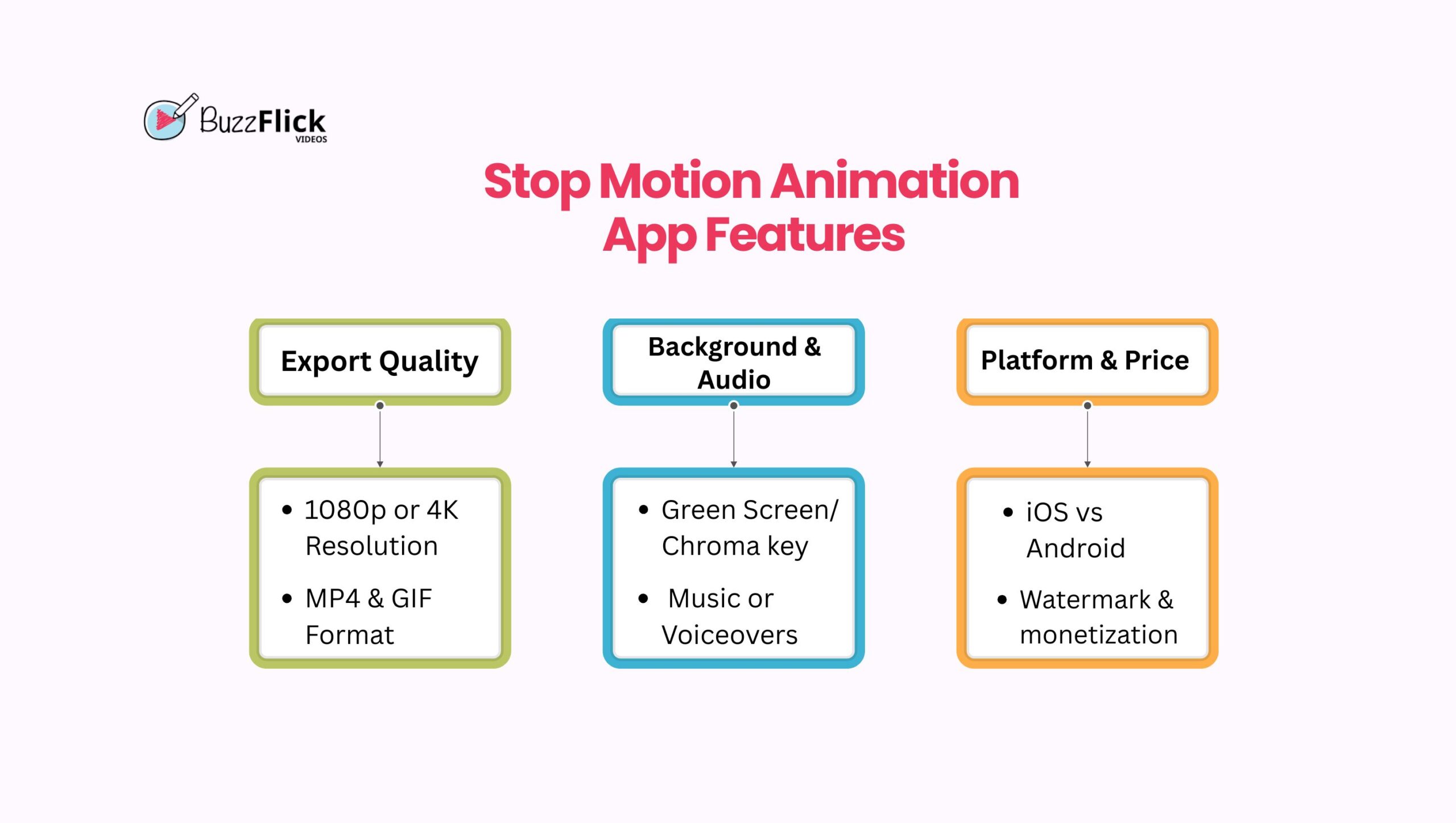
Choosing a stop motion app goes beyond the name; you must look at the technical details like onion skinning and flicker reduction for smooth movement, especially if you plan to create professional stop motion movies. Look for apps with 4K export, MP4 and GIF saving, and green screen and audio tracks options.
These are the features that separate the best stop motion animation apps for mobile from simple camera timers.
Onion Skinning is the single most important tool for smooth movement. It creates a ghost overlay of the previous frame directly on the camera view. This Ghost overlay guides you to move your subject just the right tiny amount for fluid motion.
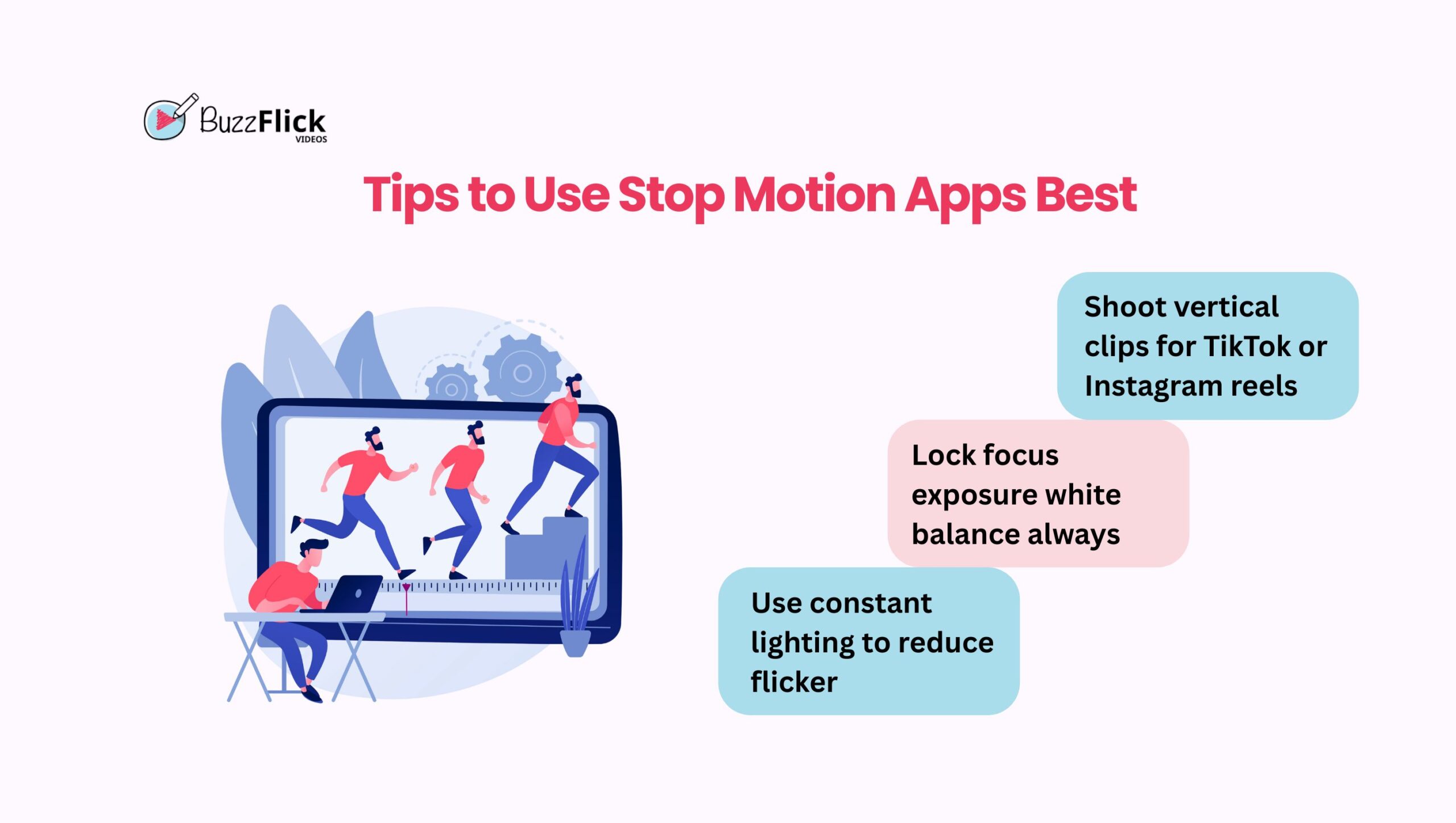
Flicker Reduction: The App must allow you to lock focus, exposure, and white balance. If these settings change between frames, your final video will dramatically reduce flicker. You must maintain consistent settings from start to finish.
Resolution Professionals need the option for 4K stop motion export. While Full HD 1080p is usually fine for social media, 4K stop motion export is a must if you want crisp detail on larger screens.
File Type: The ability to save in MP4 and GIF formats is equally important. MP4 gives you video flexibility, while GIFs are perfect for quick shares.
Green Screen: The Chroma key feature allows you to shoot your animation against a solid background, usually green. It adds depth and creativity, especially for projects that need special environments.
Sound: Audio tools are just as vital. The option to add music or voiceovers directly inside the app saves time and avoids extra editing steps.
iOS vs Android: iOS typically gives more consistent performance across its limited range of devices. Android gives you more free stop motion animation app choices.
iPad Advantage: A dedicated stop motion app for iPad is useful because the large screen makes editing much easier compared to a small phone.
Kids’ Safety: If you need a stop motion app for kids, always opt for a simple interface. Also, double-check if the app has distracting ads or in-app purchases. Teams that plan to build similar tools often rely on web application development services to create scalable platforms that support animation workflows, media processing, and cross-device access.
The Watermark: Almost every free stop motion animation app includes a watermark on exported videos. This is the biggest differentiator for the best stop motion app free download.
However, paid versions remove the watermark and unlock access to advanced tools like green screen and 4K export. For serious work or monetization, the paid option is necessary.
Apple devices are great for creating stop motion because of their powerful cameras. On iPhones and iPads, apps give you more control when editing frame by frame for a highly polished and optimized user experience. So, let’s see what are the top stop motion animation apps for iPhone.
Stop Motion Studio remains the gold standard in mobile animation for a reason. It offers professional features that truly rival desktop programs, making it the top stop motion animation app for iPhone.
Features: Animators can utilize its 4K stop motion export, frame-by-frame review, and remote shutter release. The app even supports connecting a DSLR camera for the highest possible quality. We have seen that this level of control makes a huge difference in final quality.
Free vs Paid Version: The basic version is a great stop motion app free start. However, you must purchase the Pro upgrade for the advanced tools like 4K. While the Pro version costs a one-time fee, it is fair compared to subscription-based apps.
Best For: This app suits both dedicated beginners and professional animators needing a highly capable tool.
| Pros | Cons |
| Cross-platform and easy to use. | The free version adds a watermark. |
| 4K export and DSLR compatibility. | Some features need a Pro purchase. |
| Great for both beginners and pros | – |
Life Lapse Stop Motion Maker focuses heavily on simplicity and fast social media sharing. Its intuitive interface makes it easiest to make animations for product videos and simple marketing content.
Features: It includes an extensive library of royalty-free music and templates optimized for platforms like TikTok and Instagram Reels. The feature is an ideal stop motion animation maker for users who share on social platforms.
Free vs Paid Version: On the free version, you get basic access. A subscription is mandatory to use many advanced features, which might feel costly if you only use them occasionally.
Best For: Content creators and absolute beginners who want to learn stop motion without technical roadblocks.
| Pros | Cons |
| Beginner-friendly UI. | Subscription pricing can add up. |
| Built-in free music library and templates. | Not as advanced as Pro apps. |
| Great for social media clips. | – |
If you need a zero-cost stop motion app for iPad, iMotion is the best stop motion app free download contender. It provides core functionality without a major paywall.
Features: iMotion allows for basic editing and frame rate adjustment. It supports multiple capture modes, including time-lapse and standard stop motion. You can export videos directly as MP4 or even as animated GIFs for quick sharing.
Free vs Paid Version: The free version has strong features, including onion skinning and unlimited frames. However, the main drawback is the non-removable watermark on exported videos in the free version. The app also lacks some of the advanced pro tools found in Stop Motion Studio Pro.
Best For: Users testing the waters or students who need a functioning stop motion app free download should try this first.
| Pros | Cons |
| Best free version for testing. | Non-removable watermark in the free version. |
| Supports GIF and MP4 export. | Fewer pro-level features. |
| Time-lapse and stop motion modes | – |
Procreate is uniquely different because it does not handle camera capture like Stop Motion Studio or Life Lapse. Instead, it serves as an essential tool for advanced artistry on the iPad for iOS users who love drawing and animation.
Features: It features an Animation Assist tool that essentially turns the whole thing into a frame-by-frame editor. This feature is ideal for hand-drawn 2D animation that you later integrate with live-action stop motion footage. You get control over timing, onion skinning between drawings, and full creative freedom.
Free vs Paid Version: While it comes with a one-time purchase cost, it is affordable for the range of features offered.
Best for: Artists and designers who want to create stop motion-style animation by hand instead of with photos.
| Pros | Cons |
| Professional drawing and animation tools. | No photo capture for stop motion. |
| Onion skinning for frame-by-frame editing. | Learning curve for non-artists. |
| One-time purchase with no subscription. | – |
The Clayframes app is perfect for hands-on, tangible stop motion video ideas, like working with clay or objects. It emphasizes simplicity, which makes it a great stop motion app for kids.
Features: Clayframes supports MP4 exports and lets you add sound effects or voiceovers. It is not as advanced as Stop Motion Studio, but it focuses only on the core capture process, which makes it less overwhelming for younger users.
Free vs Paid Version: The app has a small one-time cost, which is cheaper than most subscriptions.
Best for: This app is ideal for teachers looking for a simple animation tool for children. Parents will also like that it is a safe environment without distracting ads.
| Pros | Cons |
| Kid-friendly design and simple tools. | Lacks pro features like 4K export. |
| Supports voiceovers and audio effects. | Limited editing options. |
| One-time cost with no recurring fees. | – |
Android devices give users a wide choice of animation apps. They often have strong free stop motion animation app options, which makes them appealing if you want to test stop motion without paying right away. Here are five of the top stop motion animation apps for Android in 2025.
PicPac provides excellent versatility as a top stop motion animation app Android users can rely on. It handles both classic stop motion and long-form time-lapse video, so you can switch between modes without using separate programs.
Features: Its key feature is auto-capture, which takes photos at set intervals to save you from pressing the shutter each time. You can also add music and even record voice-overs inside the app.
Free vs Paid Version: The free version has most of the key features, though it adds a watermark on exports. Paying for the Pro version removes the watermark and unlocks higher resolution video.
Best for: Users who want a stop motion app Android option that does both time-lapse and animation in one package.
| Pros | Cons |
| Combines time-lapse and stop motion. | Watermark in free exports. |
| Auto-capture saves effort. | Outdated interface. |
| Voiceover and audio tools included. | – |
Just like on iOS, Stop Motion Studio provides a professional-grade experience on Android devices. Its cross-platform consistency is a major advantage, as it keeps the same layout on Android as on the iOS version, making it easy if you switch platforms
Features: You get advanced features like adjustable frame rates, multiple export options, and a comprehensive editing timeline. Users can move projects between iOS, Android, and desktop versions seamlessly. This is very helpful for teams or individuals using multiple devices.
Free vs Paid Version: The free version lets you create projects with watermarks. With the Pro upgrade, you can unlock 4K export, audio tracks, and advanced editing.
Best for: Anyone who wants the most trusted and consistent stop motion app for Android across devices.
| Pros | Cons |
| Cross-platform consistency. | Lagging issues on budget devices. |
| Onion skinning and manual controls. | Advanced tools are locked in Pro version. |
| Active updates and support. | – |
It is a very high-value free stop motion animation app for Android users. This app focuses on providing a comprehensive feature set without an immediate paywall.
Features: Users can access basic editing tools, add titles, and integrate audio tracks. It allows for a decent stop motion app download to MP4 or sharing on social platforms without extra editing.
Free: 100% free to download without pushing constant upgrades. However, you may find ads distracting, but they do not block core functionality.
Best for: Users looking for a capable free stop motion animation app that is simple enough for general practice.
| Pros | Cons |
| 100 percent free download. | Contains ads. |
| Titles and audio tools included. | No advanced export quality. |
| Simple layout for beginners. | – |
This app is essential but only useful for a specific user base. It is not a standalone stop motion animation maker. It serves only as a sophisticated remote control for the industry-standard Dragonframe desktop software.
Features: Professional studios rely on Dragonframe for precise frame-by-frame control, camera settings, and advanced lighting. The mobile controller simply allows you to trigger frames from your phone.
Free vs Paid Version: No free tier. Moreover, its subscription pricing is higher than that of regular Android apps, as it is part of a professional workflow.
Best for: This app suits serious animators or those working on high-end commercial video production services.
| Pros | Cons |
| Professional-grade controls. | Not a standalone app. |
| Remote access to the Dragonframe desktop. | Expensive compared to regular apps. |
| Perfect for commercial projects. | – |
FilmoraGo is primarily a versatile video editor, but it includes strong stop motion capture and editing features. This makes it useful for hybrid projects where animation meets live footage.
Features: If your project involves mixing stop motion clips with regular video footage, FilmoraGo is an excellent option. You can capture frame-by-frame sequences and then edit them with transitions, music, and effects inside the same app.
Free vs Paid Version: The free version includes editing tools but adds watermarks to exports. Get a premium subscription to remove watermarks and access all the features.
Best for: It appeals to creators who need a multi-purpose stop motion app download alongside their animation tools.
| Pros | Cons |
| Combines editing and stop motion capture. | Subscription required for watermark-free exports. |
| Polished interface. | Basic Stop motion features. |
| A good multi-purpose tool. | – |
Finding the right stop motion animation app often comes down to the features you need most. Some free stop motion animation software shines in simplicity, while others include pro-level tools like green-screen and DSLR control.
This table compares 10 of the best stop motion apps for iOS and Android across core features as a quick reference before deciding which app to download.
| App Name | Platform | Free / Paid | FPS Control | Onion Skin | Audio Import | Export Options |
| Stop Motion Studio Pro | iOS / Android | Free + Paid | Yes | Yes | Yes | Up to 4K MP4, GIF |
| Life Lapse Stop Motion Maker | iOS | Free + Paid | Yes | Yes | Yes | HD MP4 |
| iMotion | iOS | Free + Paid | Yes | Yes | Yes | MP4, GIF |
| Procreate | iPad | Paid | Yes | Yes | Yes | MP4, PNG sequence |
| Clayframes | iOS / Android | Paid | Yes | Yes | Yes | MP4 |
| PicPac | Android | Free + Paid | Yes | Yes | Yes | HD MP4 |
| Stop Motion Creator | Android | Free | Yes | Yes | Yes | MP4 |
| Dragonframe | Android | Paid | Yes | Yes | Yes | Depends on desktop export |
| FilmoraGo | Android | Free + Paid | Yes | Yes | Yes | MP4, GIF (Pro export in HD/4K) |
Once you choose one of the best stop motion apps, apply these professional techniques to elevate your projects.
When you look back at our list of the top 10 stop motion animation apps, the final choice really comes down to your personal needs. Do you want advanced control and 4K exports, or will you need those Pro features?
If you are just starting, Stop Motion Studio is a safe bet for its balance of features and usability across platforms. However, if you want to take your stop motion beyond DIY phone apps and work with professionals, consider BuzzFlick for expert 2D animation services and 3D animation services.
We are a creative stop motion animation studio that produces high-quality animations for major brands and storytelling projects. Our team can turn ideas into engaging visuals with a professional finish.
Stop Motion Studio is generally considered the best all-in-one option for users on both platforms. It offers cross-platform consistency, a deep feature set that includes onion skinning and 4K capability, and robust tools suitable for both beginners and pros.
While Stop Motion Studio is the most popular app, the most popular animation styles often involve claymation, seen in works like Wallace and Gromit, or brick films made with LEGOs. These physical forms dominate the style.
For traditional 2D drawing animation, apps like Procreate or Flipaclip often take the top spot. However, for photo-based stop motion animation, Stop Motion Studio remains the undisputed #1 app due to its feature depth and reliability.
Yes, Stop Motion Studio and many others offer a free stop motion app version for users to try. Unfortunately, the free versions usually include a prominent watermark, limit export resolution, or restrict pro tools like green screen and 4K export.
Yes, you can. The latest models of both iOS and Android are ideal for stop motion due to their high-resolution cameras. High-quality stop motion animation apps like Life Lapse and Stop Motion Studio make the process simple and accessible.
For pure photo capture, iMotion on iOS and the free Stop Motion Studio version offer the best features without a paywall. We always recommend checking the comparison table for their specific free limitations.

1win Bonus Guide: Practical Steps to Claim, Use, and Win What Is the 1win Bonus? The 1win bonus is the introductory offer that greets new...
Read More
Get A Custom Quote Now


Copyright © Buzzflick 2026, All Rights Reserved.
Get Video Animation at Reasonable Prices at BuzzFlick! Get A Quote!