- Author: Hafsa Rasool
Date: Oct 15, 2025 - Category : Animation Studios



You can understand why stop motion is still so popular by taking ordinary objects, transforming them frame by frame, and using imagination and perseverance to make them come to life has a certain allure.
Stop motion animation has a humanized appeal that contrasts with 3D visuals or material produced by AI. It forces you to focus on the little things and believe in the power of perseverance. Every frame is like a victory, and when you press play after all that time, the feeling of triumph is unbeatable.
But here’s the surprise: stop motioning isn’t merely taking pictures one after another. You also require suitable stop motion animation software to combine everything, buff the transition, and provide your tale with that professional sheen it so rightly needs. And that is where free software comes to your rescue, especially if you’re embarking on your animation career and don’t wish to make a hole in your wallet.
This is your ultimate resource for the top free stop motion animation software for beginners. I will guide you through the most trusted tools, their strengths and weaknesses, useful features, and even compare some side by side.
Stop motion animation software is a computer program that assists you in converting a sequence of individual images into a continuous animated sequence. If you’ve ever wondered what is stop motion animation, it’s a filmmaking technique that brings static objects to life through a series of carefully captured frames. Rather than flipping through photos manually, these applications enable you to automate the process and create smooth, frame-by-frame motion effortlessl:
Stop Motion is basically a 3D module that acts as the cement that holds your creativity together. Without free stop motion software, your wonderful Lego superheroes or clay characters would merely be a stack of static photos.
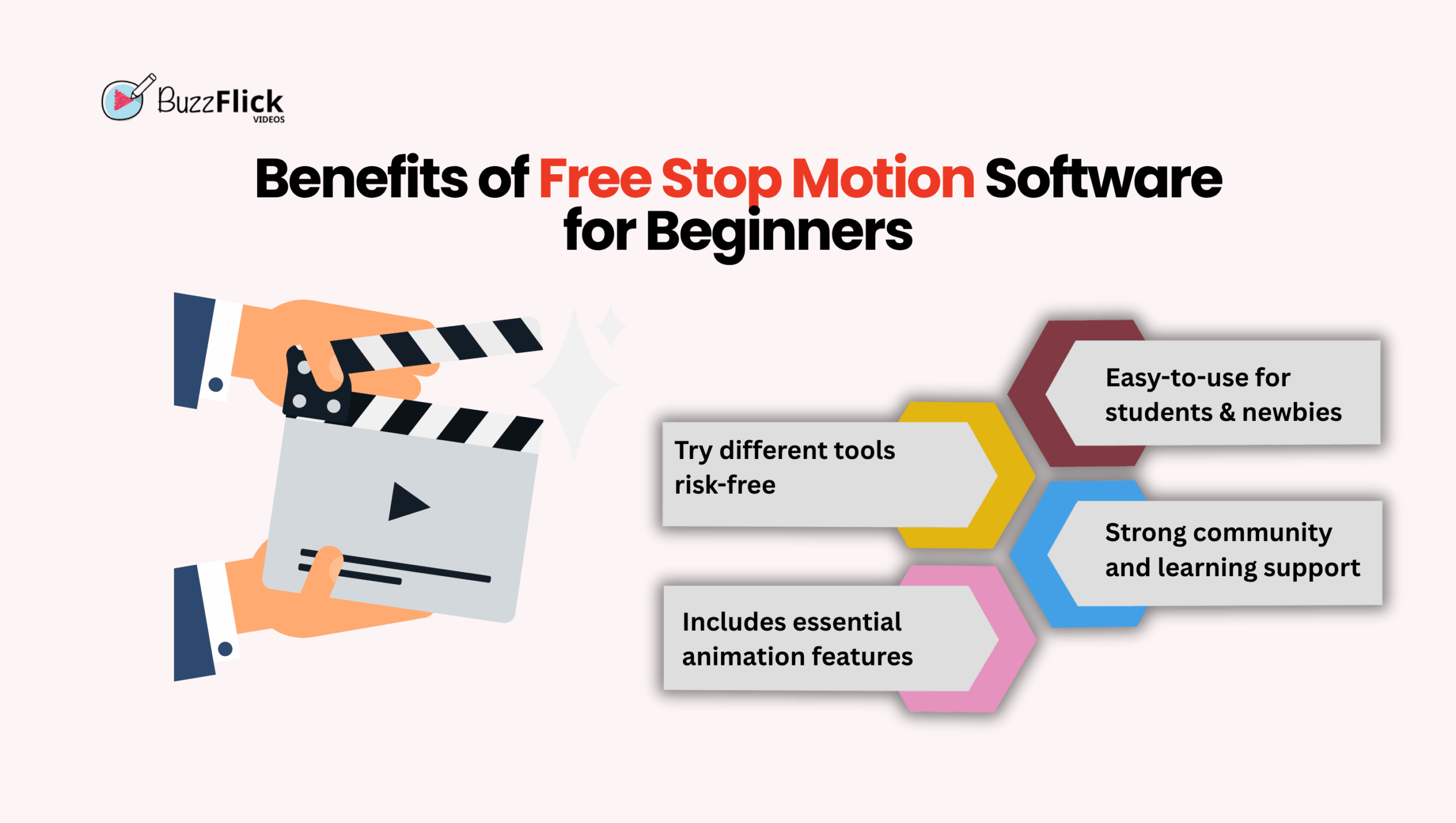
If you’re just beginning in the world of animation, free software gives access. You don’t have to shell out hundreds of dollars initially, and you are able to test without financial stress.
Benefits of free stop motion software for newbies:
So, let’s get into the best free ones you should look at.
Here’s a brief comparison table before we review each tool in detail:
| Software | Best For | Compatibility | Standout Feature | Free Version Limitations |
| Stop Motion Studio | Hobbyists & mobile users | Windows, macOS, iOS, Android | Overlay mode & sound editing | Export limitations |
| Filmora | Beginners & Advantages | Windows, macOS | Keyframing & full editing suite | Watermark on exports |
| MonkeyJam | Traditional animation | Windows | X-sheet logging | Dated UI |
| Movavi | Quick beginners | Windows, macOS | Speedy rendering & YouTube upload | No LUTs |
| DragonFrame | Advanced creators | Windows, macOS | Camera motion control | Limited trial |
| Stop Motion Pro | Entry-level creators | Windows, macOS | Auto time-lapse capture | Lacks advanced options |
| qStopMotion | Linux users | Linux | Scene & take management | Fewer features |
| iKITMovie | Kids & learners | Windows, macOS | 2,200 soundtracks + green screen | Simplistic features |
| Frames | iOS creators | iOS | Green screen + Pan/Zoom | Few export options |
| iStopMotion | Apple ecosystem users | macOS, iOS | Voice activation & iMovie sync | Limited editing tools |
Here is the detailed description of the best stop motion software for beginners in 2025:
One of the most popular stop motion animation tools is Stop Motion Studio. It is notable for being user-friendly enough for beginners and accessible on several platforms, including iOS, Android, Windows, and macOS. It has a simple interface with only the elements needed to create engaging animations, making it suitable for school projects, Lego movies, and clay figures.
Its simplicity is blended with functionality, enabling users to animate, edit, and publish directly from the app. Tutorials and easy-to-use tools make it a seamless entry point for learners without confusing them.
Overall, Stop Motion Studio is ideal for beginners, hobbyists, and teachers looking for a simple yet powerful animation tool.
Filmora is among the most highly recommended tools since it finds a balance between simplicity and professional-level features. It’s not only a stop motion animation software free solution but also an accomplished video editor.
Filmora is ideal if you desire a single software that scales with you, best for beginners who later wish to explore professional animation.
MonkeyJam is an older piece of stop motion software that is still useful because of its simplicity, even if it hasn’t been updated for years. It’s especially cherished in schools and by new animators trying frame-by-frame animation.
If you need a simple, no-charge solution for capturing and arranging frames with webcams, scanners, or digital cameras, MonkeyJam gets the job done without frills.
MonkeyJam is a great option for teachers and newbies who prefer simplicity and want to concentrate on stop motion basics without shelling out money for sophisticated software.
Movavi is commonly known for its blend of speed and ease, which makes it a favorite among creators who need to create stop motion animation in no time without compromising on quality. Having clean editing tools and an uncluttered interface, it’s a safe bet for those who prefer a quick workflow.
Its fast rendering and direct export to sites such as YouTube make it ideal for creators who value efficiency. Integrated tutorials also assist novice creators who wish to learn at the same time.
Movavi is a great choice for intermediates and beginners who need a mix of simplicity and effectiveness in stop motion.
DragonFrame is usually considered the industry gold standard professional stop motion animation software. It has been utilized in many commercially successful stop motion animation movies and commercials and offers powerful tools for animators seeking precision and complete creative control. Although the free version is restricted, it still contains enough tools to demonstrate its potential.
It offers onion-skinning, audio synchronizing, and camera control, making it an unbeatable instrument for professional animation houses and serious enthusiasts to take their game to the next level.
DragonFrame is ideal for serious students and professionals who wish to become stop motion masters at a professional level, but not for casual beginners.
Stop Motion Pro finds a middle ground between beginner ease and mid-range capabilities. Frame-by-frame preview, webcam capture, and auto time-lapse shoot make it easy for creators to hone their skills in phases while remaining user-friendly.
It is flexible for amateur use, accommodating multi-track editing and structured workflows without being overly complicated to master.
Stop Motion Pro is best for amateur hobbyists looking to try their hand at more sophisticated storytelling while remaining accessible.
qStopMotion is a godsend for Linux users who tend to miss out on creative software. With the ability to support frame grabbing and video exporting, it’s a trusty alternative for Linux animators looking for a free, open-source tool.
It offers necessary features such as photo import, video format compatibility (MP4, AVI, MKV), and project organization, making it an excellent alternative for Linux-based animators.
qStopMotion is a good option for Linux users looking for free, dependable, and light stop motion software to start with.
iKITMovie is among the rare stop motion software designed for children and teachers. Its user-friendly interface and plenty of soundtracks ensure that it’s an enjoyable way into the world of animation.
It has over 2,200 pre-installed sound effects and even green screen support, ensuring that animation is fun and interactive for children learners.
iKITMovie is ideal for kids, parents, and educators seeking a simple and entertaining means of initiating stop motion animation.
Frames is a mobile-first stop motion creator for iOS users. Filled with features such as green screen animation, pan and zoom features, and importing images, it assists novices in discovering animation on their phones.
Its mobile-first approach allows for easy use by spontaneous animators who prefer not having to haul a desktop setup around.
Frames is a solid choice for iPhone owners who need to make basic stop motion animations at any time, anywhere.
iStopMotion by Boinx is a refined stop motion solution designed for Mac and iOS. With its time-lapse functionality, voice control, and robust integration with Apple software, it’s perfect for Apple users.
If you’re already within the Apple ecosystem, this tool integrates seamlessly with iMovie and Final Cut Pro for easy editing and exporting.
iStopMotion is an excellent choice for Apple enthusiasts who want a smooth, reliable, and creative stop motion experience.
The best stop motion software varies with your device, skill level, and intended purpose.
First, check compatibility. Some stop motion apps, like Stop Motion Studio, are available on Windows, macOS, iOS, and Android, while others, like iStopMotion, are for Apple alone. Linux users can use qStopMotion.
Align your purpose with the tool: YouTube or social content → Movavi/Frames; school projects → iKITMovie/MonkeyJam; professional films → DragonFrame/Stop Motion Pro.
Bottom line, think about what device you have, how tech-savvy you are, and what you want to make this will lead you to the correct stop motion editing software.
Choosing the right stop motion animation software is only the first step. While tools like Stop Motion Studio, Movavi, or DragonFrame give you the freedom to experiment, sometimes your vision requires a professional touch to truly shine.
That is where Buzzflick is there to help. As an imaginative animation studio, Buzzflick focuses on creating top-notch 3d animation services, educators, and content creators. From offbeat commercials to interesting educational content and scroll-stopping social media videos, their team contributes technical expertise and imaginative storytelling to each project.
So, start experimenting with free or beginner-friendly stop motion tools to learn the craft. And when you’re ready to scale up and turn your creative concepts into polished, professional work, Buzzflick is the perfect partner to help bring your stop motion ideas to life.
A short 10–15 second clip may take a few hours, while detailed projects can take days or even weeks. The time depends on your project’s length and complexity.
Yes, you can make stop motion videos using just your smartphone or tablet. Apps like Stop Motion Studio allow you to use your device’s camera to capture frames.
Yes, stop motion is a great place to begin for beginners. It’s tactile, simple to try out, and learns the basics of animation without the need for sophisticated software.
Professional stop motion artists tend to use DragonFrame for its sophisticated onion-skinning, camera motion control, and audio sync features. Beginners and enthusiasts might begin with something like Filmora or Stop Motion Studio.

Chromebooks have grown from just for typing essays and watching skits to letting everyone test their creativity in their desired ways. Yes, those days are...
Read More
Get A Custom Quote Now


Copyright © Buzzflick 2026, All Rights Reserved.
Get Video Animation at Reasonable Prices at BuzzFlick! Get A Quote!