- Author: Urooj Mehar
Date: Oct 6, 2025 - Category : Animation Studios



Have you ever watched a video where inanimate objects are moving on their own? Let’s just say, a cookie sliding across the other end of the table, making its way to the glass of milk. Or maybe an unboxing video where a cardboard box opens on its own and the product reveals itself behind the confetti.
It feels weird and satisfying, doesn’t it? Well, this is the kind of charm people create with the help of stop motion animation.
There is a high chance that you have come across this style of animation in commercials and cult classics once or more than once. And here’s the coolest part: this isn’t something that was created yesterday. Stop animation is considered the oldest and coolest animation technique to ever exist. Even before a century. Antique among the list of animation…Cool right?
So, what’s the trick behind all this sorcery that turns objects into actors? This is exactly where we are headed. In this guide, you will see what is stop motion animation, its examples, and how to make a stop motion animation on your own using some of the best stop motion animation software or even a simple stop motion animation app. Let’s buckle up, because it’s going to be fun and exciting.
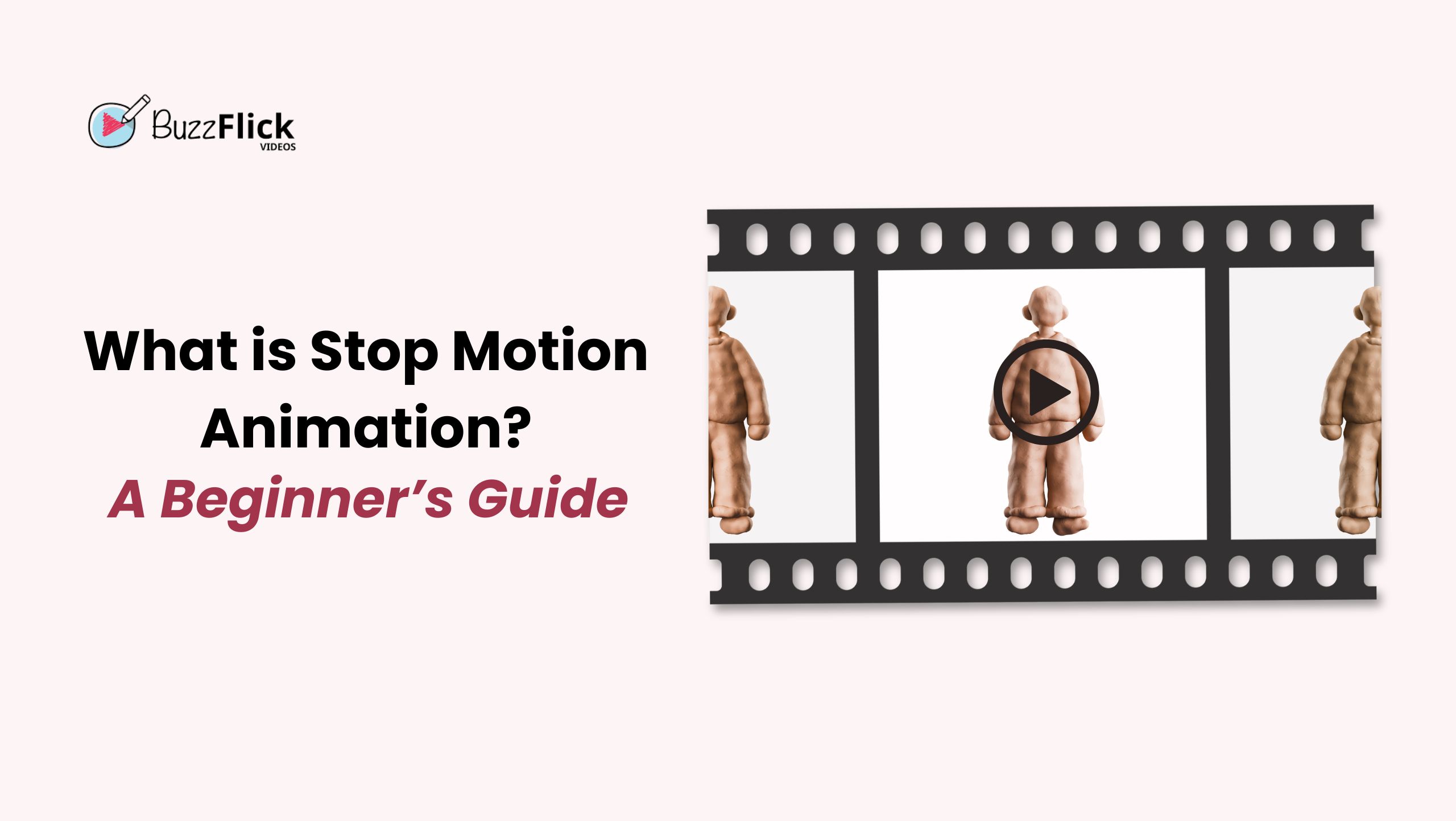
That journey of the cookie and the product revelation is not some magic, but the result of stop motion animation. So, what is stop motion animation?
In simplest and easiest terms, it’s the trick to capture the movement of objects or people by capturing frame-by-frame pictures.
You take a photo of your object, move it just a little, even less than an inch, take another shot, move it again, and just keep going until you get enough images to run a 1-second clip.
And how many frames do we need to create a second clip? Not much… Just 12 to 24 frames.
It might look interesting and fun, but stop motion has been the centre of movies and ads for over a century. And to add more to the fun, one of the known names in this animation, Chicken Run (2000), remains one of the highest-grossing stop motion animation, with the revenue of $224.9 million at the Box Office.
Now you know what is stop motion animation and its definition, change the frame and check where it originates from.
The Humpty Dumpty Circus (1898) is said to be one of the very first examples of stop motion animation movies. It set the stage and opened doors for others to experiment with this type of artistry.
Let’s take a quick look at the history of stop motion in a quick table below:
| Title | Year | Creator(s) | What Made It Special |
| The Humpty Dumpty Circus | 1898 | J. Stuart Blackton and Albert E. Smith | The first ever stop motion. |
| Fun in a Bakery Shop | 1902 | Edwin S. Porter | Early trick film mixing live action with stop motion. |
| El Hotel Eléctrico | 1908 | Segundo de Chomón | Pixilation with people and objects. |
| King Kong | 1933 | Willis O’Brien | Blended stop motion monsters with live actors on screen. |
| Morph | 1977 | Aardman Animations | An early clay character who became a TV favorite. |
| Chicken Run | 2000 | DreamWorks and Aardman | Highest-grossing stop motion feature film to date. |
Stop motion animation does not stop at one trick. Nope, not at all. When you look a bit deeper into it, you will catch yourself going through a whole bag of different styles with their own personality.
So, if you have a creative concept or want to explore new stop motion animation ideas, the following types can help you choose a particular style.
Let’s peek inside every type and see how all of them differ from each other.
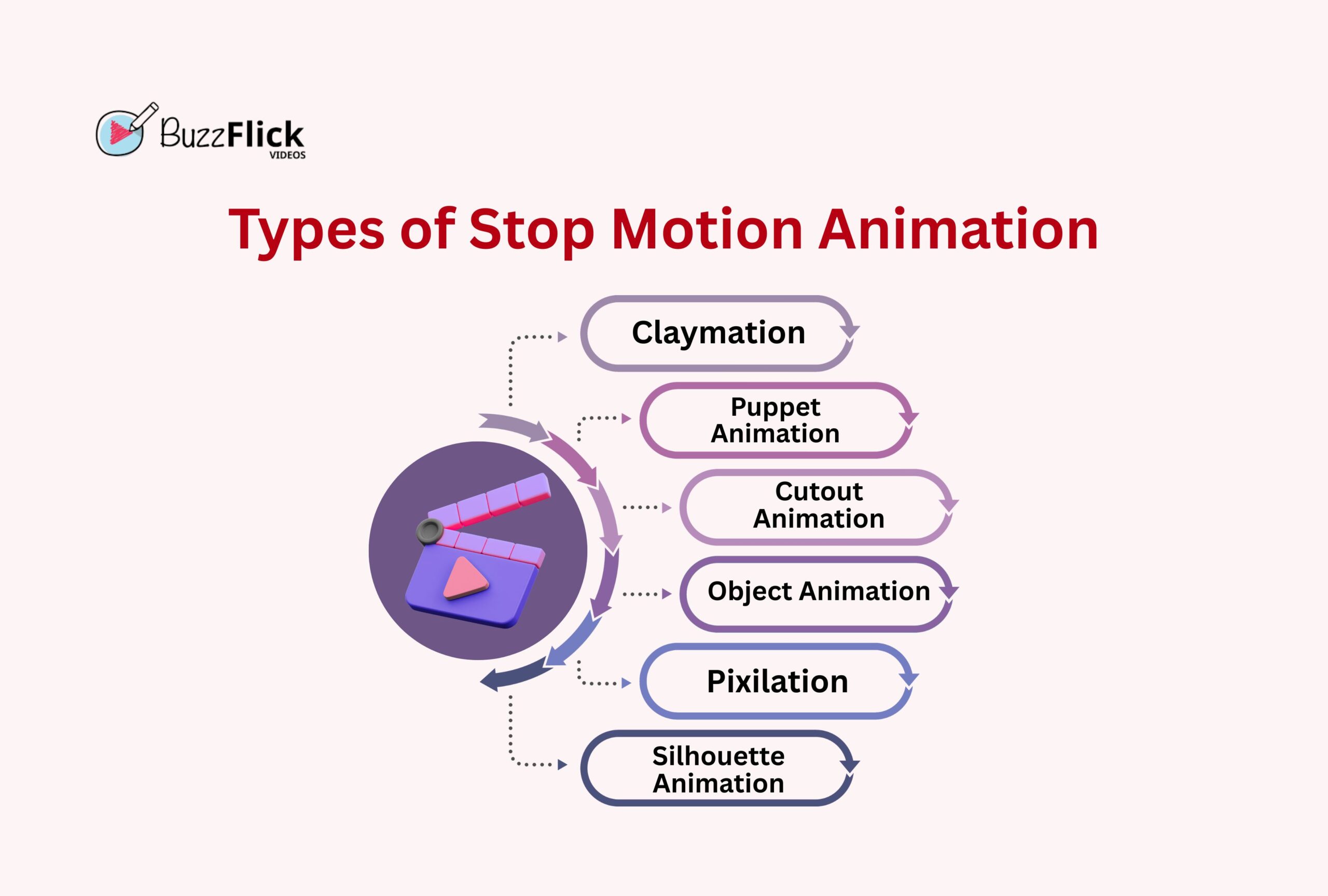
Claymation or clay animation has the definition in the name. We all have once played with Play-Doh, creating different shapes and creatures, but just add a little twist here.
Instead of stopping at one sculpture, you have to continue by reshaping and moving it just a little in between shots until your outcome is moving, making viewers believe as if they are watching a 3D animation.
Now, it’s time to swap the clay with puppets. Instead of molding and reshaping figures after every single frame, creators use sturdier and handmade puppets made of armatures (just a bendy skeleton in easy words), which makes them appear sharper.
But here’s the catch: it requires more effort, like swapping faces, costumes, props, and insane detail work.
This style involves too many cutouts and creativity. People use papers or even fabrics, and cut them into different parts like legs and heads of characters. Then they carefully move each cutout frame-by-frame. It requires extra attention, so you need to be really attentive.
And since everything is flat, you might feel the movement to be a little stiff, giving you the feel of a handmade version of 2D animation. And when you get a good hold, then you are good to go for fabrics, papers, scissors…. animate!
You may have seen objects like makeup products or even snacks moving on their own. That’s object animation, where the regular objects play the starring role. The real challenge in this top motion animation is that the objects used here do not bend or pose, so animators have to be really creative in every frame.
This style goes best for product videos and commercials, where brands turn their products into fun little characters and drive sales.
Well, this stop motion animation requires real patience. Why? Well, this is where you work with real humans instead of objects. The real challenge is consistency throughout the process. A blink or a slight jerk of the shoulder at the wrong time, and boom…
It costs slightly more than other stop animations and, of course, requires more effort and patience as well.
Remember when you used to play with your shadow? Or what about watching shows that involve hand shadow turned into animals and humans, and enjoying them? Silhouette animation is the same, but it involves a flat cutout lit from behind, casting a beautiful silhouette across the screen.
It requires proper movements and gestures since you cannot see faces or little details. This is the reason why Lotte Reiniger’s silhouette films are considered among the best stop motion examples.
It can be unbelievable, but the stop motion animation market was worth around $1.65 billion in 2024, and is expected to thrive more by 2033 with a 9.2% CAGR. Yes, you read that right. Tiny blobs of clay and cutouts are turning into big business.
And the best part? We have spilled the beans on how to make a stop motion animation.
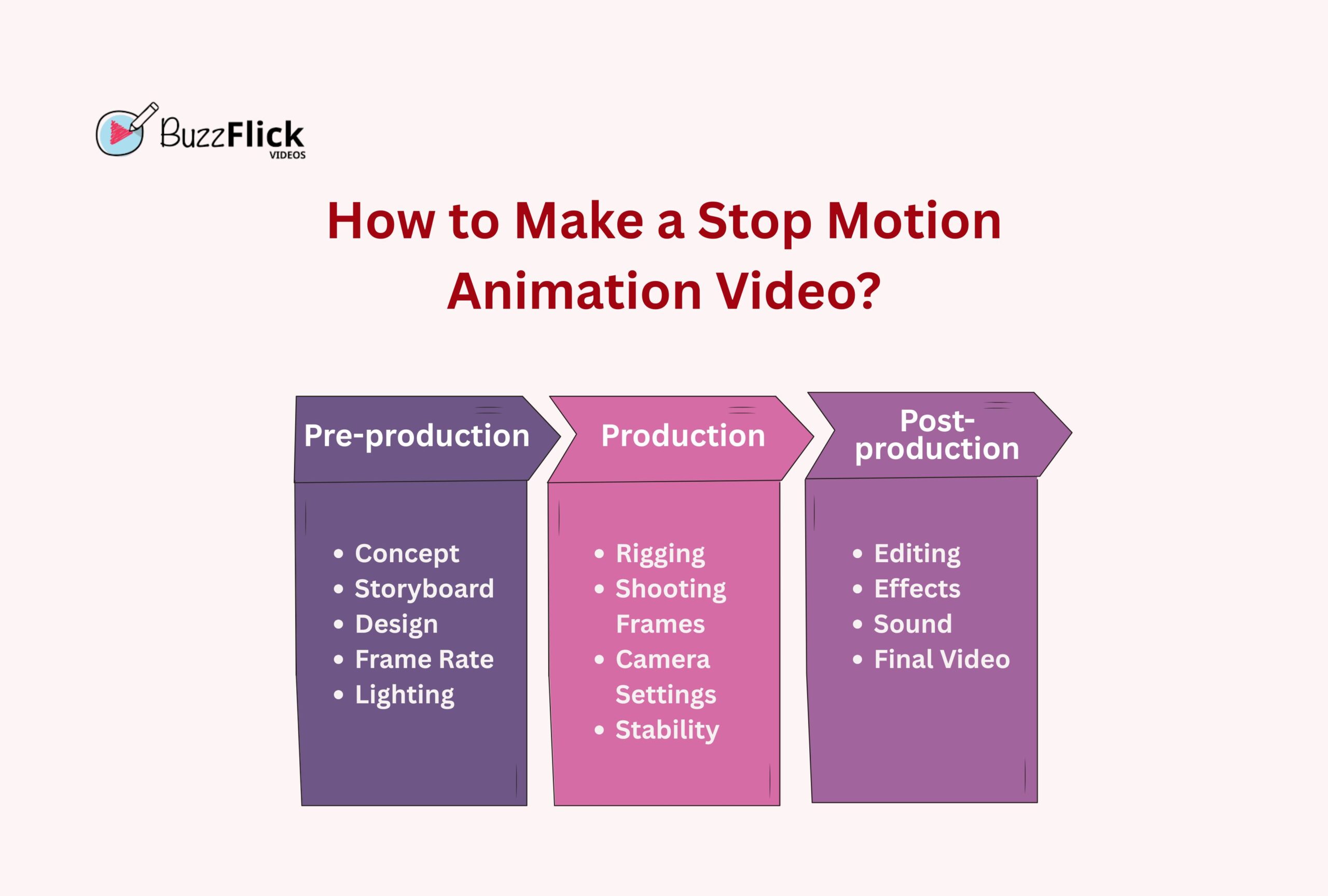
Pre-production is the phase where you doodle and plan your idea before turning your camera on. Every detail matters in this part. More details equal a smoother shoot.
Always begin with a clear idea. Decide what is going to happen, who will participate in the movement, and why. Try to keep it as simple as possible, but also fun.
Map out your storyline by sketching quick stick figures or boxes. You don’t need to surpass the level of Leonardo Da Vinci. Just be clear with the sequence of actions.
Decide on characters, props, and backgrounds, and see what they look like. Are they complementing each other or looking tacky together? Are you using clay or something else? Just keep everything consistent in style and size so that your viewers don’t feel huge jumps between frames.
Here, you need to check how many pictures you need per second. Normally, a stop motion animation requires 12 FPS; however, if carefully executed, it can take up to 24 frames. Test both styles and see which one works best for you.
Just like you pay close attention to lighting while taking selfies or asking your friends to take your picture for your Instagram wall, pay attention to it here as well. Use steady lamps and mark your light positions to lock them down. A bright and shadow-free setup results in clean footage instead of turning every frame into part of a horror movie.
Production is the stage where the real work begins. You will be involved in snapping pictures, moving characters, and creating your whole narrative frame by frame. Patience is much appreciated in this part, because even a 5-second clip can cost you dozens of shots.
Sometimes your characters need a little support to perform well. Use wires, sticks, stands, or anything to keep them put and their movements steady. You can always edit these helping hands out without making it obvious that anything was even there in the first place. Now you can say that everything went smoothly with just the right magic spell.
This stage is all about taking baby steps. Here’s the rhythm to follow: click and move. Repeat it until you get enough frames to cover one section of animation. Make sure every moment is tiny, in millimeters, not in inches.
Switch off auto-settings and use manual focus, fixed exposure, and white balance so that each frame matches the next. Auto-mode changes a lot in lighting, which can easily ruin hours of hard work. Lock every setting down to get smooth results in every click.
Anything that is not meant to make a movement should stay locked. Use a tripod, tape the set, and mark positions for your camera. Even the tiniest bump can give the feeling of an earthquake to your stop motion animation.
Post-production: the phase where all of your puzzle pieces come together, revealing the final picture. You refine countless pictures in one continuous story, adding final touches.
Import all of your images into a stop motion animation editing tool in order and set the frame rate. Check all the frames to decide whether to keep all of them or not.
Take your stop motion animation to the next level by adding effects like fade-ins, transitions, or color adjustment, but don’t get overconfident with adding layers of different effects. A lot of effects can easily ruin the charm of your effort, and we don’t think that you would let it happen to you. So, just aim for polish, and not perfection.
This is the part where you give the larynx to your stop motion animation. Larynx? Oh, we meant to say voice box. Add voiceovers, background music, or different sound effects like footsteps for the part where your product moves to a certain distance or a squeak when a blob of clay jumps. This little detail holds the power to change the complete vibe of your video.
Once everything moves and sounds right, it’s time to export your masterpiece. Decide where you are going to share it and then download it in the required format. After you are done with everything, take some time to watch it, and pat yourself on the back. Congratulations, you just made lifeless objects move.
As we have spilled the beans above on what is stop motion animation and even took you through a step-by-step guide on how to make a stop motion animation, now it’s time to have a sneak peek behind the curtains. Because let’s be real, without the right gear, even your best ideas can feel like cooking a 3-star Michelin meal but without quality ingredients and consistent execution.
Don’t be scared and jump to a conclusion on your own. Even if you are a beginner at stop motion animation creation, we are here to guide you through this part as well. All you need is just a handful of useful tools and stop motion animation softwares, and you are ready to roll.
One great thing about stop animation motion is that it does not require a heavy camera setup. You can even make things work with your phone camera. But to stay on a much smoother side, a DSLR or a mirrorless camera is highly preferred. These give you more control and quality results.
To make your shots even more solid, try pairing your camera with a steady tripod, add in a remote shutter or intervalometer to avoid unwanted shaking effects, and voila! You are good to step into the turbulence-free animation journey.
Good lighting plays a huge role in creating a flawless stop motion animation. What does it mean by good lighting? Simple, no flickers and no accidental “ghost shadows”. Use Desk lamps or LED panels for perfect lighting across every single frame.
Once you have positioned your lights, tape them down and do not move until you are done with capturing the last frame.
The real magic happens inside a stop motion animation software. Top tools like Dragonframe, Stop Motion Studio, and iStopMotion allow you to line up frames, review every shot, and keep things smooth. And believe us when we say that even top animation studios in New York, USA, use this software to get the best results.
| Software | Best For | Fun Note |
| Dragonframe | Professionals | Used by Hollywood animation studios |
| Stop Motion Studio | Beginners | Perfect for quick phone projects. |
| iStopMotion | Mac users | Simple, clean, and Apple-friendly. |
Don’t think these are the only software available. There are multiple other best options to choose the right stop motion animation software for both Android and iOS, making it easy to create animations on the go.
It’s time to wrap up the things. You have just unlocked the basics of stop motion animation and what makes it so ridiculously fun. Now you know how that cookie managed to get to the glass of milk and how that product came out behind the confetti.
But hey, let’s be real now, it is no wonder that working on your own short clip is fun, but pulling off a polished stop motion video that really makes the audience go wow takes serious skills and time. This is why BuzzFlick exists.
At BuzzFlick, we don’t just think of stop motion as another technique of animation; instead, it is one of our favorite playgrounds where we execute ideas with colors and fun. We have acted as a helping hand for many brands and storytellers by turning their products into animated stars and binge-worthy stories.
So, are you ready to get a masterpiece where every frame feels polished and natural? Don’t just wait and let BuzzFlick roll the cameras for you.
The best frame rate for stop motion animation is 12 FPS to 24 FPS. For beginners, it is better to use 12 frames per second, while expert creators use 24 FPS for a smoother and cinematic look
Yes, you can create a professional stop motion animation using your phone’s camera and apps like Stop Motion Studio. Make sure that your phone is placed on a steady surface, and control the lighting to keep frames consistent.
This type of animation requires a lot of time since each frame is captured individually. A 1-minute-long video can take a few hours to a few days, depending on complexity, number of frames, and movements.
The 5 main methods of animation include 2D hand-drawn, 3D CGI, stop motion animation, motion graphics, and VR animations. Each method comes with its own style, workflow, and the power of storytelling.
Stop motion is mostly 3D as it involves real objects in a physical space. Some variations, like cutout or paper animation, can be considered 2D, but most stop motion animation uses 3D models.
Chromebooks have grown from just for typing essays and watching skits to letting everyone test their creativity in their desired ways. Yes, those days are...
Read More
Get A Custom Quote Now


Copyright © Buzzflick 2026, All Rights Reserved.
Get Video Animation at Reasonable Prices at BuzzFlick! Get A Quote!