- Author: Eich Eyf
Date: Mar 4, 2022 - Category : 2D Animation, 3D Animation



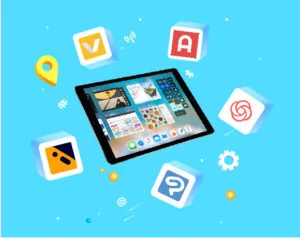
Today the power of animation is right in the palm of your hands. Apple has been working for a while now, and recently they released the iPad Pro.
But that’s not it; they have added some outstanding and useful animation tools animators can utilize to streamline their animation workflow.
Often marketers and individuals hire video animEation company to create simple animations for them.
What they don’t know this that instead of splurging their money, all they need is to get their hands on a good iPad and of course an expert illustrator/animator.
Moreover, you don’t have to even worry about the animation apps, because Apple has a lot to offer.
Keeping this in mind, we thought it would be fun and helpful to put together an easy guide to get animators like you acquainted with the best iPad animation apps, also known as cel animation tools.
In this blog, we’re going to explore the list of some of our preferred animation apps for iPad.
Don’t forget we are just covering some of them. If you go to the app store, you’ll see the list is pretty long!
So, without any further ado, let’s get to it right away.
But hold on, before you move on, first give a read to a brief explanation of the uses of animation so it will be easier for you to understand it in-depth.
There are a handful of things we deeply believe are essential for a cel animation app to incorporate to make it an attainable option for animating.
Following are the list of features a cel animation app should have:
You might not have heard the term onion skinning before. To put it in simple words, it’s a simple animation process that allows you to see the transparent versions of a before and after your current frame while you’re animating.
If you’re already in this industry, you must be well aware of the fact that it’s an essential animation feature and cannot be compromised.
There are plenty of animation apps in the App Store, but we omitted those which don’t offer any of the three important features we have discussed above from our best cel animation apps list.
So, here’s the moment we all have been desperately waiting for… Here’s the precise list of our most loved cel animation apps for iPad Pro.
Shall we begin?
Callipeg is a great place to start making animations because it’s both visually appealing and useful.
This software has gotten a lot of positive comments and support because it was a Kickstarter dream kid.
You can, without any hassle, create frame-by-frame animation using a variety of iPad applications, as you can see, but the iPad user community wishes there were more “pro” apps available.
Animation Desk is a software application that allows users to create and edit animations. It is often used for creating hand-drawn or 2D animations, and it typically provides a range of tools for drawing, keyframing, and compositing.
Some versions of Animation Desk may also include features for creating 3D animations or working with motion graphics.
It is often used by animators, graphic designers, and other creative professionals for a variety of purposes, including creating content for film, television, video games, and the web. For creating your frame-by-frame masterpiece, the Animation Desk is an excellent tool.
In addition to a mobile app, you can also get the desktop version via the Windows Store. For $19.99, you may download the free version of Animation Desk, or you can sign up for Kdans Creativity 365.
Download Animation Desk for Ipad
Artists who use the iPad to create conventional animations tend to have a hero who goes unnoticed.
Jacob Kafka, an animator, created Rough Animator, which may be used on a variety of platforms. It’s one of the most feature-rich iPad apps for cel animation. No free version of the software is available, although it seems to be satisfying the needs of most animators.
Download RoughAnimator – animation app
Despite its simplicity and limitations, Animatic boasts a well-designed user interface and stable performance.
Although you won’t be using this software to generate extensive animations, the app’s simplicity makes it easy to create short animations on the go.
For a small monthly cost, users may have access to more onion skinning choices and repeated frames by upgrading to Animatic Pro.
Looom has reimagined what it means to animate frame by frame and made it… enjoyable?
In spite of the fact that it doesn’t feel “professional,” this app really fits all of the requirements for this list. Looom’s approach to animation is brash and fast-paced, making it seem more like fun than labor.
This software is a steal for $9.99 since you get an experience and a tool in one package.
If you’re looking for a familiar desktop experience, this is the app for you. It’s like animating in Photoshop or Adobe Animate.
Clip Studio Paint is a powerful iPad application that provides a wide range of tools and features. Because there is so much information on the screen, one of its drawbacks is also one of its benefits: it can be overwhelming for certain users.
However, there is a free trial available, so we encourage you to give it a spin!
The Animator’s Survival Kit, by Richard Williams, is one of our favorite books on traditional animation. It’s a wonderful primer on the pre-production process, and Williams explains the principles of animation.
Hopefully, this list of best animation apps for iPad will be of great help to you. There are plenty of apps available other than these, but it all comes down to your needs and requirements.
Whether you want to create a 2D, 3D, or whiteboard animated video, you need to choose the right software. You need to explore all the apps in depth to check which set of features it offers.
If you’re planning to get an animated video for your brand and want top-notch results, you can always hire an animated video production company.
If you’re looking for one, we highly recommend you to consult BuzzFlick – a reputable animation studio in Houston offering various video animation and video editing services at affordable cost price.
We know you must be having a lot of questions regarding animation apps for iPad and using the iPad for traditional-style animation.
So, we thought to answer some of the most commonly asked questions.
In recent years, iPads are commonly being used for animation. Animation on an iPad feels very futuristic and interactive as well, especially if you’re using a stylus like Apple Pencil. Because of this many animation applications are launched on the app store. Each of them comes with its own set of pros and cons.
Most iPads support features like 3D animation and painting such as the iPad mini 6 and the M1 iPad Pro.
Yes, you can easily animate on your iPad for free by using animation apps. Some of the best ones are listed below:
Following are some of the apps which beginners can use to animate:
Yes, you can by using the Callipeg. It is a 2D hand-drawn animation application specially designed for iPad and Apple Pencil.
Generally, an iPad like the iPad Pro 11inch 2021 is one of the best tablets to use for animation. It’s a great gadget that any illustrator can use. Though the size of the tab is a bit smaller if compared to its brother the screen size is quite big enough to draw and animate without being too heavy in weight.

Cut-out animation is one of the oldest animation styles. Read our short guide to learn everything about cut-out animation with useful examples.
Read More
Get A Custom Quote Now


Copyright © Buzzflick 2026, All Rights Reserved.
Get Video Animation at Reasonable Prices at BuzzFlick! Get A Quote!