- Author: Eich Eyf
Date: May 20, 2021 - Category : Video Marketing




Overcomplicating a task is not the vibe we like. That is why we are here to help you through the process of how you can flip a video and honestly how easy it can be with the steps we are going to be mentioning below.
You will be surprised how easy it can be and how much less time-consuming it is when you know the right techniques and tools. So let’s start taking notes, get comfy, and let’s begin the breakdown of steps that you would need to take in order to flip a video and that too by making it hassle-free.
When it comes to all your how-to questions such as how to flip video horizontally or how to mirror videos the struggle to find the right answers that are shot but clear as a day can be super difficult.
I mean not everyone has all the time in the world. Most of the time we are looking for easy answers, we don’t need all the technical intricacies explained to us. If easy is something that you are looking for when it comes to flipping that video, then Animaker should be your go-to platform.
Animaker is an online platform for everything related to video editing. It is designed for beginners and you do not need to know a ton lot about video editing to use this platform. The platform is self-explanatory and is designed to accommodate you during your video editing process and production.
Now coming to the fun part for which you are here, that is how to flip a video fast and easy. Here is a breakdown of the steps you need to take to make it all happen using Animaker.
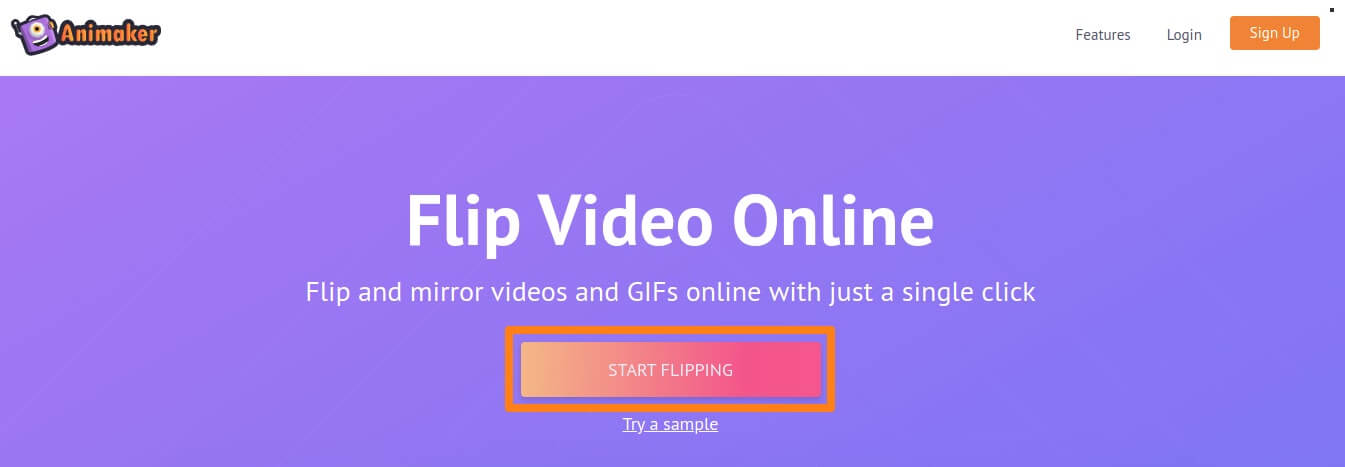
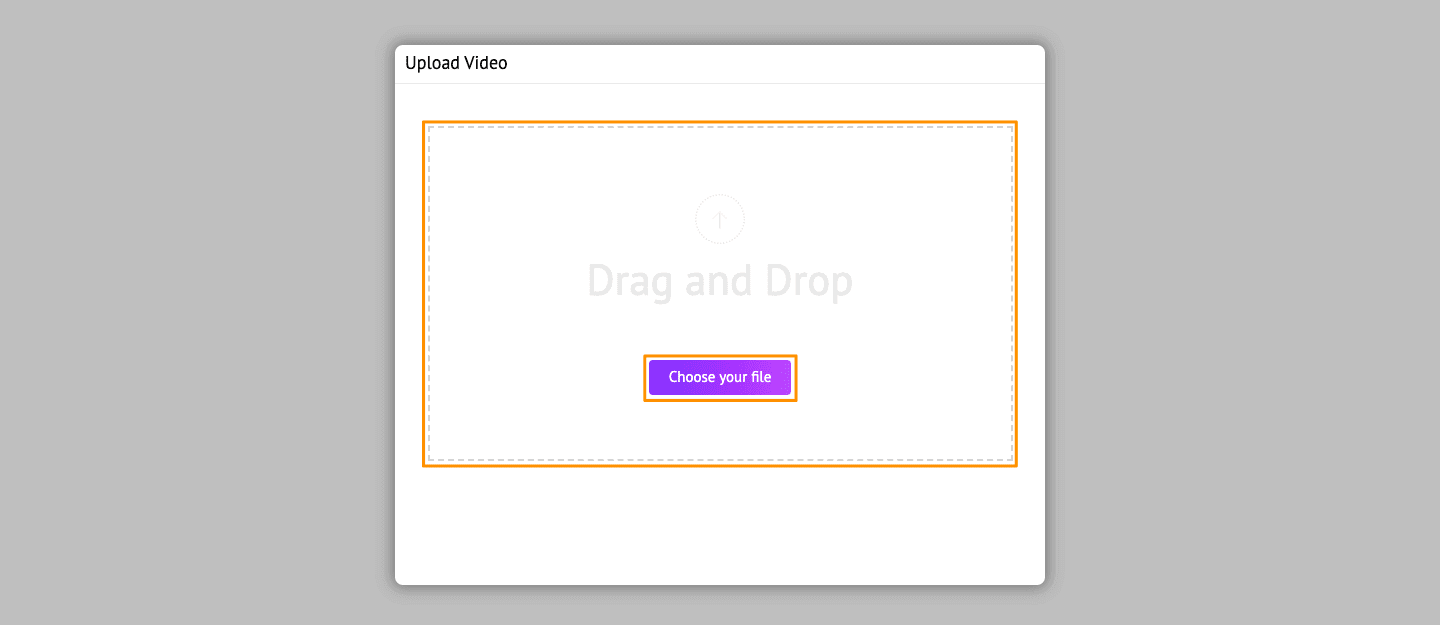
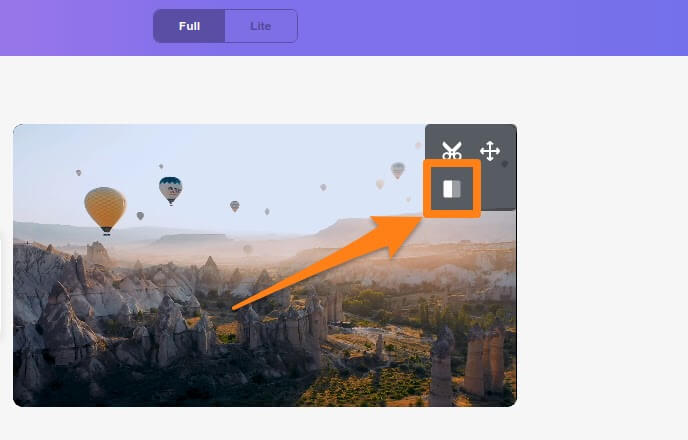
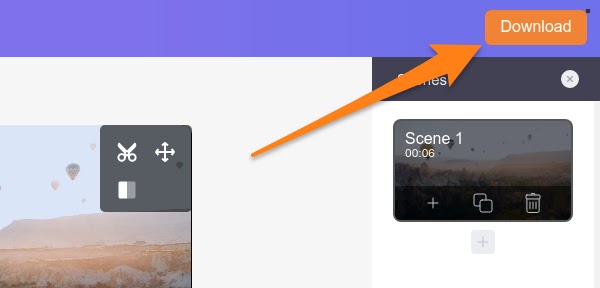
At the end of it all, you have your dream production achieved for your video and that too in a short amount of time.
Dear Mac users, did you know that the player you use for watching videos on your computer is all you need when it comes to flipping a video? Yes, you heard that right, QuickTime is the main tool that you should use to flip a video for any of your video projects if required.
Seriously, you do not need any fancy online tool here because your good ole pal QuickTime has got you covered. So since you discovered you can use QuickTime to flip a video or videos, let’s see how exactly can you do that using this tool.
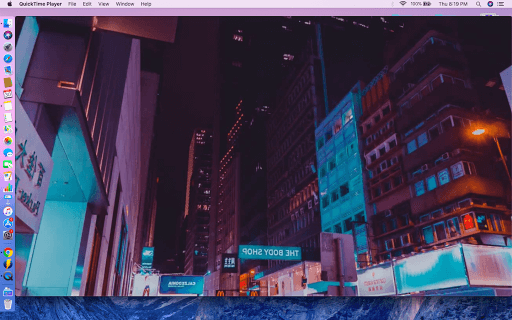
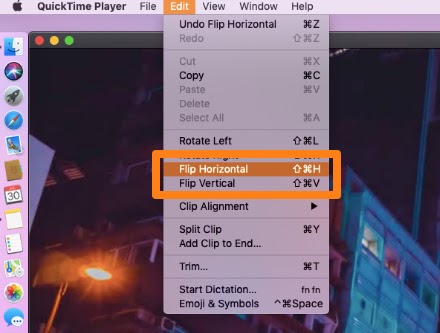
Voila, your video is flipped and easily accessible to you on your machine. You do not even need internet for this process. So not only is it simple and less time-consuming it is also convenient.
Okay, let’s be honest how many of us have wasted our time browsing the internet to find that one tool to fix our specific video editing needs but never once thought of the programs already installed on our computer? I can assure you, the answer will be in the millions.
But let me get you in on a little secret, owning a Mac machine absolves you from downloading basic video editing tools because it already comes with it.
If you have been using a Mac machine for any amount of time, you must know about this little app called iMovie. It’s a video editing tool that lets you edit your videos and it comes with almost all of the basic editing functions you may need for your video production.
It’s one of the most popular video editing tools for many Mac users around the world and the exciting thing is, you can definitely use it to flip a video without ever needing any other tool from anywhere else.
Allow me to show how exactly you can flip a video using iMovie.
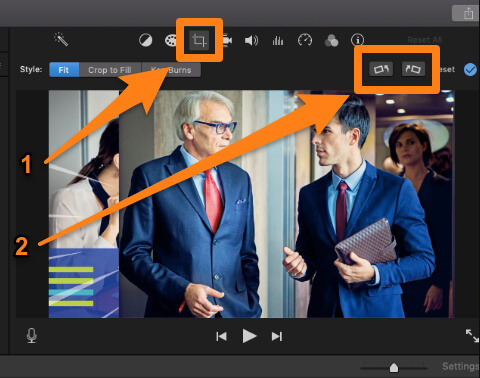
Now, to be frank with you iMovies isn’t very user-friendly for beginners however it is still one of the most effective and cheap ways to flip a video without depending on the internet or paid tools.
So if you’re a novice I will suggest you stick to QuickTime player, as it is far more easier to use as compared to iMovies and is relatively quick as well. Plus, it comes pre-installed and allows you exceptional video flipping functions to complete your video production projects.
My there my friend, using a Windows PC and looking for a way to edit your videos in a manner that is cheap, reliable, and gets the job done professionally?
If the answer is yes, then look no further. Windows Movie Maker is here to help you. Windows PCs come with a pre-installed software called the Windows Movie Maker. This a video editing application that allows you to edit your videos without depending on the internet or fancy plugins.
Let’s take a de route on how to flip a video using Windows Movie Maker.
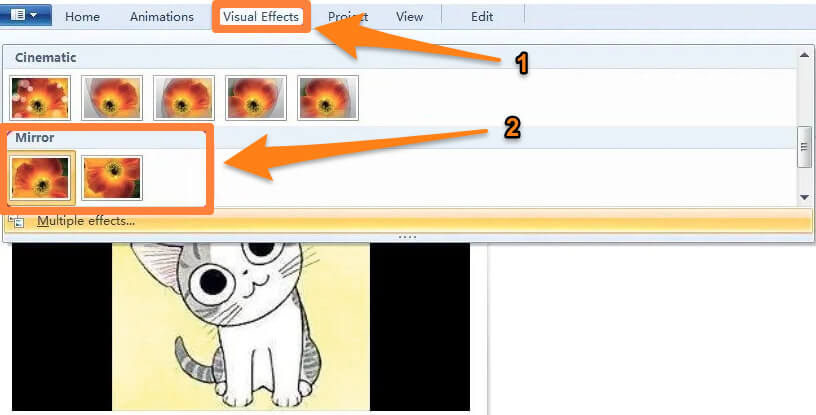
You just completed your video editing for your video project and that too under a minute or so. Simple, quick, and super time convenient.
These were some of the easiest ways we found by talking to video editing experts for you to take if you’re a complete beginner, or somewhere in the middle of your video editing journey.
Well, if you want a professional hand in your project editing, you can always rely on BuzzFlick – an award-winning animation studio in Houston.
The studio is an expert in making captivating and aesthetically pleasing animation that can vigorously catch the audience’s attention.
BuzzFlick’s team of animators are masters in explainer videos, whiteboard animation, motion graphics, corporate videos, educational videos, training videos, promotional videos, video ads, and video editing services.
Hopefully, now you know how easily you can flip a video with some handy tools. If you want to perform all the mentioned tricks on your phone regardless of what smartphone you use, then check out top video editing apps for Android & iOS devices.
These days vertical videos are very popular, and people are making vertical videos for IGTV (Instagram TV), TikTok, and YouTube Shorts.
It is exciting to watch but a little tricky to edit, but we have got your back. Check the top vertical video editing apps you can use for every platform.
So, keep creating amazing content and make it more vibrant with the tricks you have just learned.
1. How to flip a video?
We have mentioned four different tools you can use for flipping a video. But this is the simplest way that you can apply on any tool to flip a video:
2. Which companies are the best in video editing services?
We have shortlisted top video editing companies that can turn your raw piece into a masterpiece.
If you want to see some more companies, check out the top video editing companies you can trust.
3. How much will hiring a production company to flip a video cost?
There are numerous production companies that can be an excellent choice for your video editing project, but you have to look for the cost that comes around to your budget.
If you want some outstanding video editing and post-production services at an affordable price, contact BuzzFlick.
We stand as the leading post-production studio throughout the USA, and we can get it done for you at the most reasonable price.
Related Article:
A Guide To Resize Your Videos For Instagram Feed, Story, & IGTV

Looking for unique ways to advertise your Banking services? Read our blog to learn about successful Banking ad campaigns.
Read More
Get A Custom Quote Now


Copyright © Buzzflick 2026, All Rights Reserved.
Get Video Animation at Reasonable Prices at BuzzFlick! Get A Quote!